# View enrollments

This topic describes how to view a list of enrollments in your account, as well as details about a specific enrollment.

### Viewing enrollments

To view your enrollments:&#x20;

1. Go to **Program** > **Enrollments**.
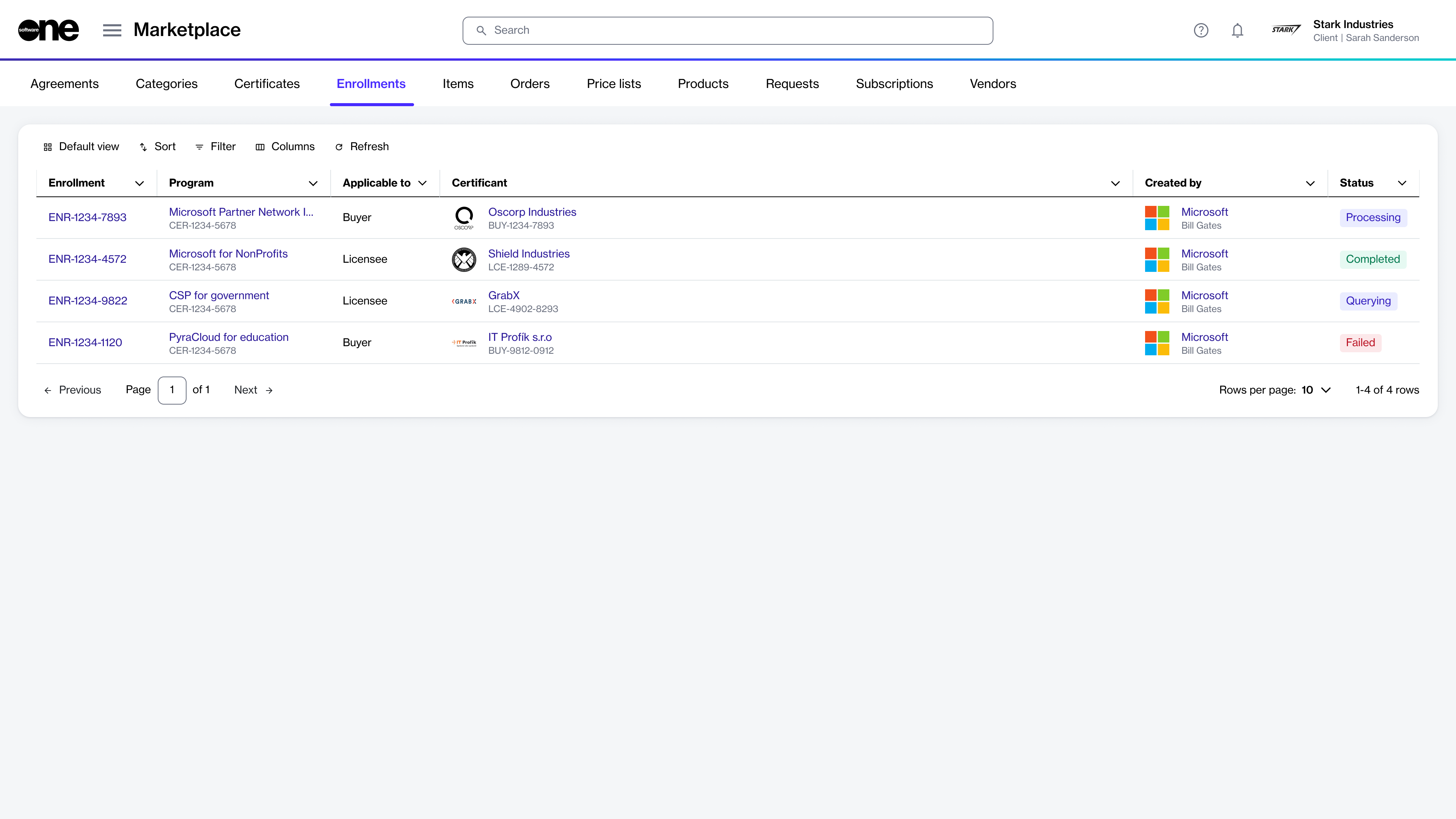
2. View the list of enrollments displayed on the page.

<div data-with-frame="true"><figure><img src="https://1674205915-files.gitbook.io/~/files/v0/b/gitbook-x-prod.appspot.com/o/spaces%2FZ5DNbniz33mXCZoO62Rm%2Fuploads%2FQd2KGEkgVnSYfRvT3kwh%2Fimage.png?alt=media&#x26;token=7c65cd82-8b16-4e09-a6d1-6c95ad9340a1" alt=""><figcaption><p>The Enrollments page in the platform.</p></figcaption></figure></div>

### Viewing enrollment details <a href="#subscription-details" id="subscription-details"></a>

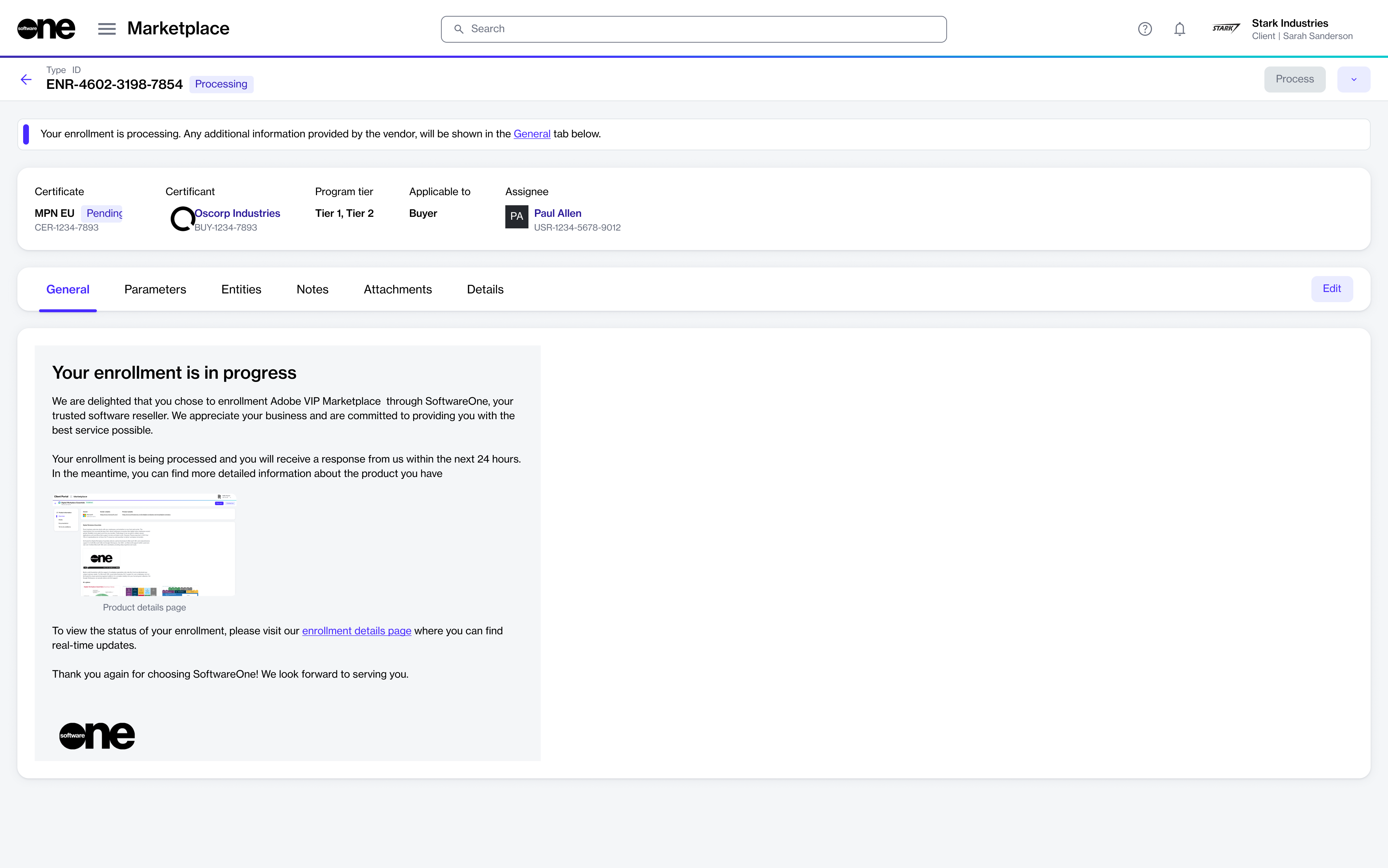
On the enrollment details page, you can view extended information for the enrollment. Some information is read-only, while others include links that allow you to navigate to further details.

To view the enrollment details:

1. Go to **Program** > **Enrollments**.
2. Select the enrollment you want to view. The enrollment details page opens.

<div data-with-frame="true"><figure><img src="https://1674205915-files.gitbook.io/~/files/v0/b/gitbook-x-prod.appspot.com/o/spaces%2FZ5DNbniz33mXCZoO62Rm%2Fuploads%2F8XJPzH2uCnOcRhalswVJ%2Fimage.png?alt=media&#x26;token=81665f1f-d46f-487c-85bc-869d35fe8e0a" alt=""><figcaption><p>The details page of an enrollment.</p></figcaption></figure></div>

3. Use the tabs on the **enrollment details** page to view additional information:

<table><thead><tr><th width="135">Tab</th><th>Description</th></tr></thead><tbody><tr><td><strong>General</strong></td><td>Displays the most up-to-date information for the enrollment.</td></tr><tr><td><strong>Parameters</strong></td><td>Displays the ordering and fulfillment parameters for the enrollment.</td></tr><tr><td><strong>Entities</strong> </td><td>Displays the business object linked to the enrollment. </td></tr><tr><td><strong>Notes</strong> </td><td>Allows you to add or update notes using the <strong>Edit</strong> option.</td></tr><tr><td><strong>Details</strong> </td><td>Displays the date and time information for any events related to the enrollment, such as when the enrollment was created.</td></tr><tr><td><strong>Attachments</strong> </td><td>Displays files attached to the enrollment.</td></tr><tr><td><strong>Audit trail</strong></td><td>Displays a record of events related to the enrollment. For more information, see <a href="../../settings/audit-trail">Audit Trail</a>.</td></tr></tbody></table>