Programs

Learn about programs and how to view them in the platform.

The Programs page in the platform displays all programs that are active and open for enrollment.

By enrolling in a program, you gain access to all the benefits associated with that program. For information on the Microsoft partner programs available for enrollment through the Marketplace, see Partner Programs.

Viewing program details

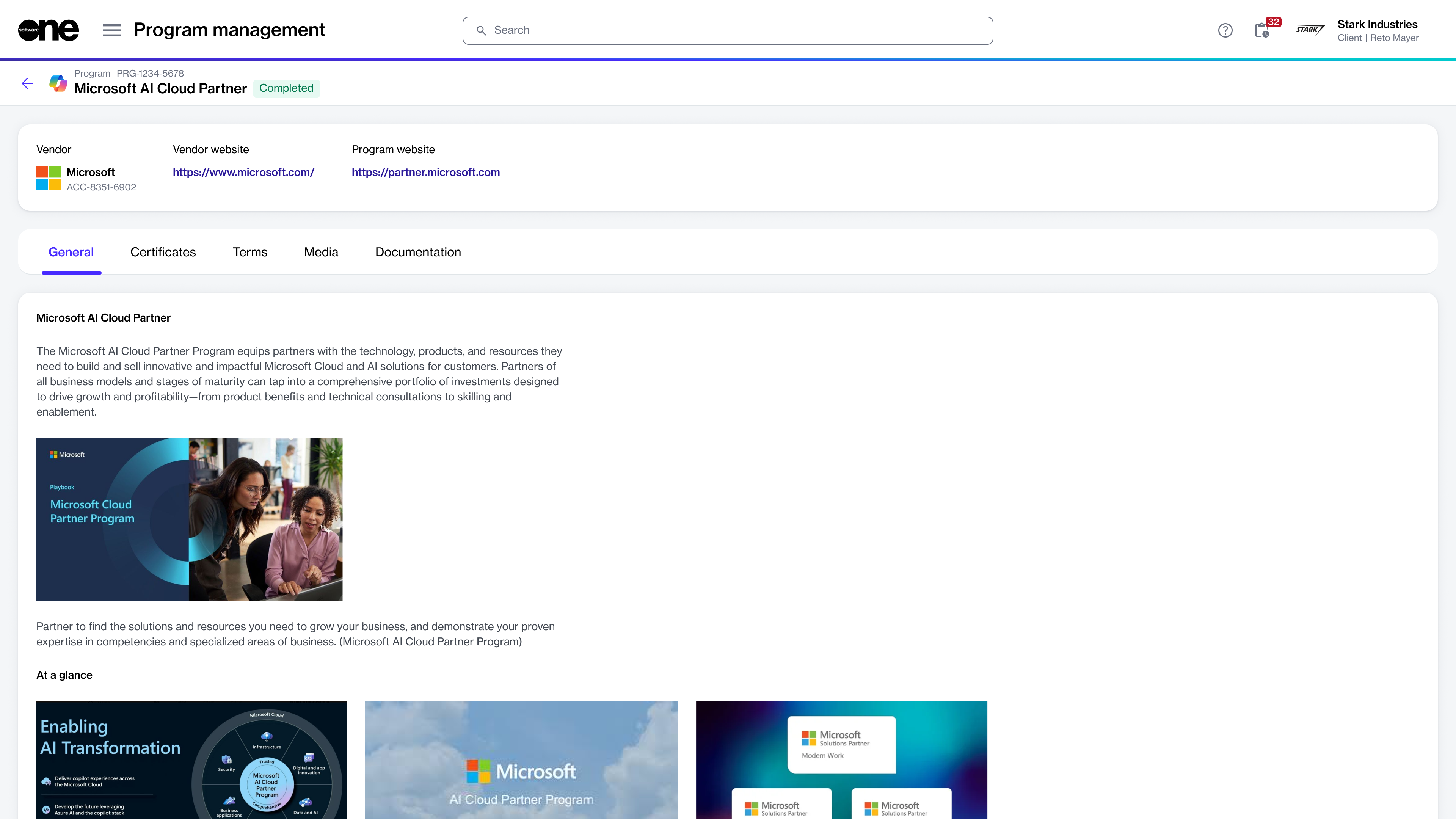
On the program details page, you can view detailed information for the program. Some information is read-only, while others include links you can use to navigate to further details.

To view the program details:

  1. Navigate to the Programs page.

  2. Select the desired program to view extended information for the selected program.

The details page of a program.
  1. Use the following tabs to access additional related information:

    • General - Describes the program requirements and what you'll need to enroll in the program.

    • Certificates - Displays your certificates for the program. You can also enroll in the program using the Add option.

    • Terms - Shows the terms and conditions applicable to the program.

    • Media - Shows the image and video files attached to the program by the vendor or SoftwareOne.

    • Documentation - Shows supporting documentation that may provide additional context about the program.

Additional actions

From the program details page, you can enroll in a program using the Add option on the Certificates tab. For details on how to enroll in a specific program, see Marketplace for Partners.

Last updated

Was this helpful?