Change the number of licenses for your subscription.
This tutorial describes how to change license quantities for an existing subscription.
When reducing licenses, these rules apply:
If the subscription contains one item, you cannot reduce the quantity to zero. Terminate the subscription instead.
If the subscription contains multiple items, at least one item must remain above zero.
Start from the subscription
Go to Marketplace > Subscriptions.
Select the required subscription. Ensure that the subscription is active.
On the subscription details page, select Edit.
Change the license quantities
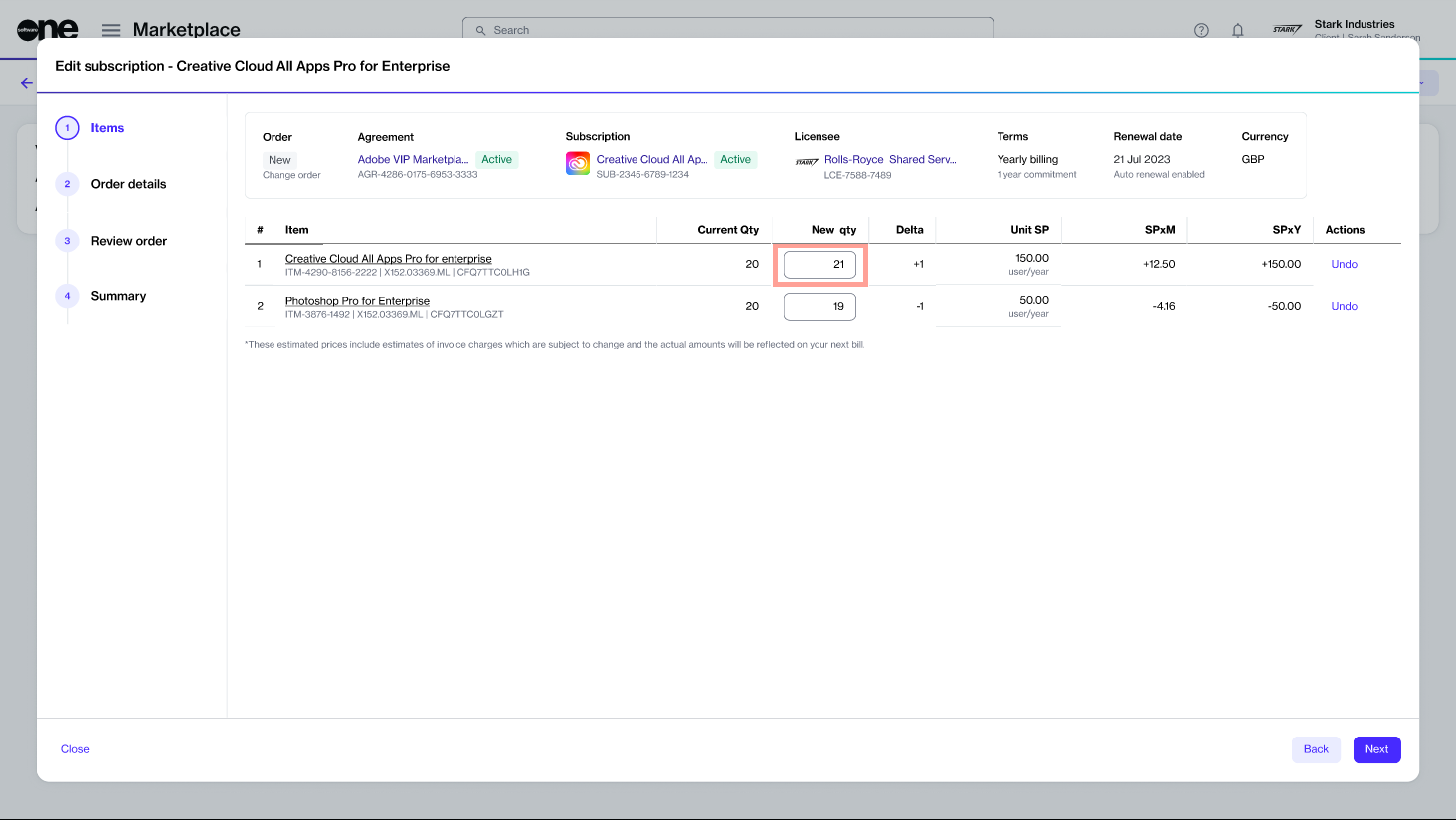
In the Edit subscription flow, do the following:
Update the New qty value, then select Next.
Add or update the reference ID and your comments. Select Next
After you place the order, a change order is created and sent to the vendor for processing. You can also see it on the Orders page.
While the change order is in progress, the subscription and agreement status change to Updating. No further orders can be placed under that agreement until processing is complete.
Verify the information, then select Place order. Select Next.
Select View details to open the order details page or select Close.