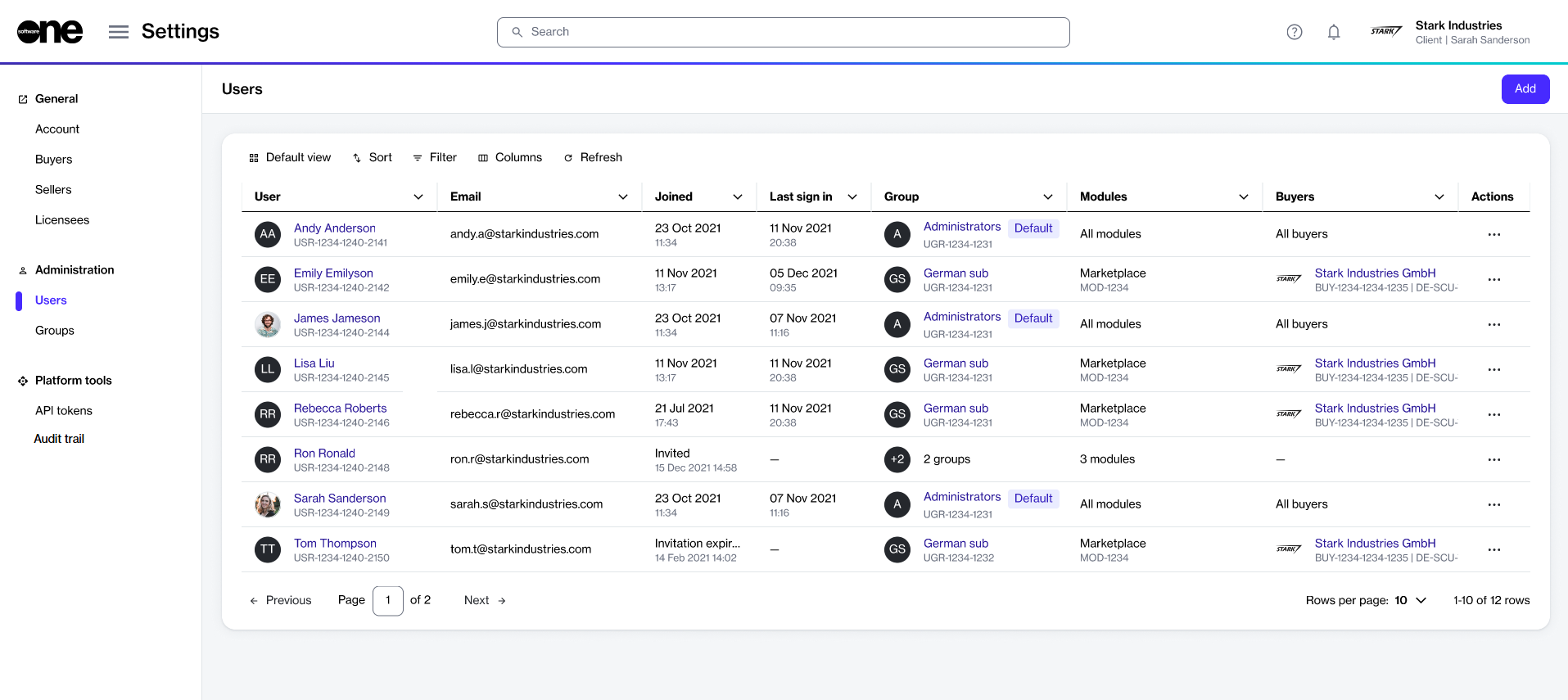
Your users list gives you quick access to all users in your account. This topic describes how to view a list of users in your account, as well as details about a specific user.
To view a list of users in your account
Go to Settings > Users.
View the list of all users displayed on the page.
Review information such as the user name, email address, group membership, and the available fields. You can also see all the buyers visible to the user in the Buyers column. The following table lists buyer visibility rules:
On the user details page, you can view detailed information for a specific user.
To view details for a specific user:
Go to Settings > Users.
Select the user you want to view. The user details page opens.
Use the tabs to access different types of information:
Account Management module
All buyers
User can view every buyer in the account.
Marketplace module only
Total number of buyers
General
Shows general information for the user.
Groups
Shows the user's group memberships and the modules they have access to.
Details
Shows count of buyers the user can access, for example 2.
No access to either module
– (dash)
User cannot view any buyers.
Shows the date and time details for the user, including when they joined the account.
Audit trail
Shows the audit trail for the user.