Access the product catalog, discover products, and submit your order.
This tutorial describes how to order products from the SoftwareOne Marketplace using the purchase wizard.
The exact steps depend on the product and vendor. This page covers the common flow.
Review the product
Go to Catalog > Products.
Select a product, for example, Microsoft 365 Business, Enterprise & Apps-Commercial.
Review the information, including product details, features, and more.
Start the order
On the product details page, select Buy now.
The purchase flow starts automatically and guides you through each step.
Review and submit the order
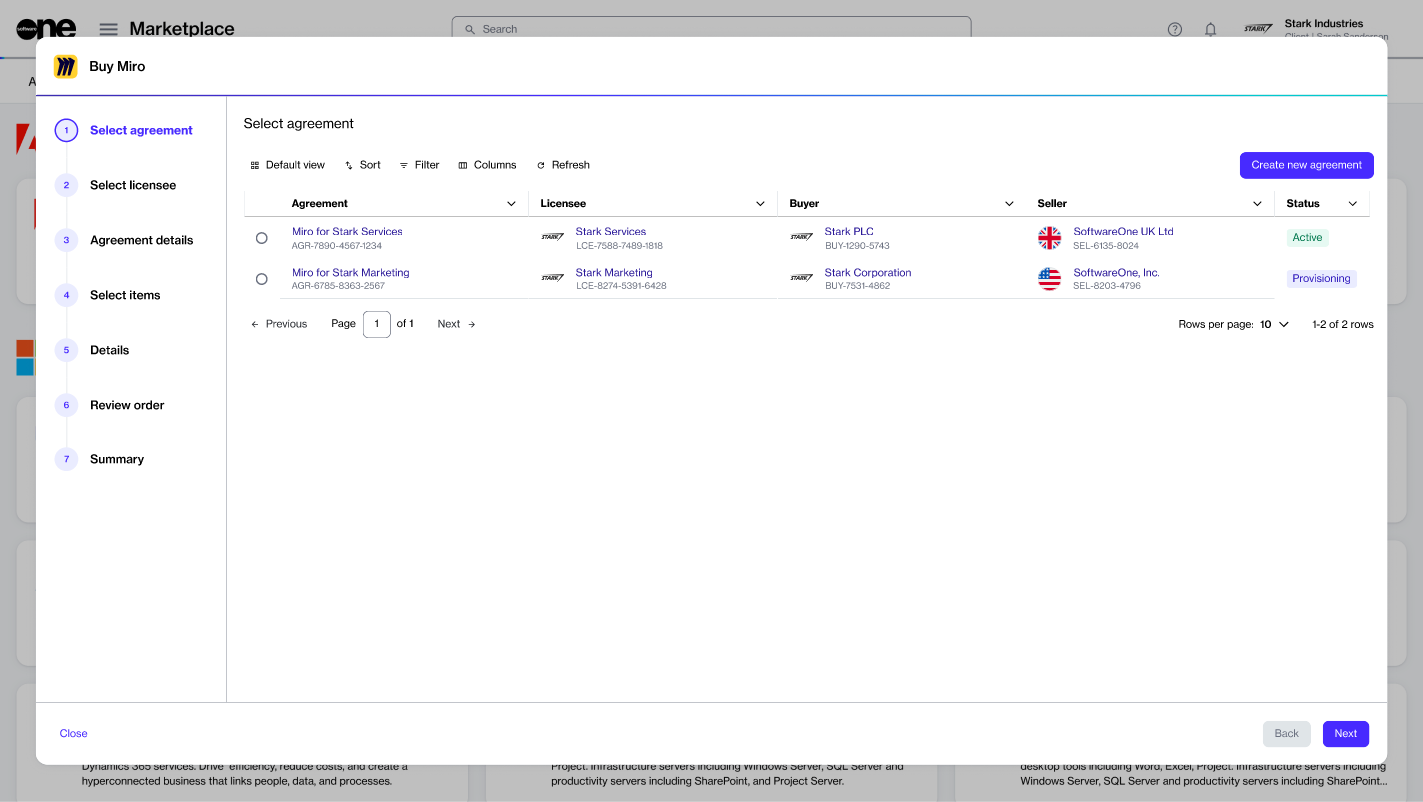
The ordering steps and required details vary by product and vendor. Most orders follow this flow:
Select agreement – Select an existing agreement or create a new one. The option you select in this step determines the next step. For example, if you create a new agreement, the Select licensee step is displayed. However, if you select an existing agreement, the Select items step appears.
Select licensee – Choose an existing licensee or create a new one.
After you place the order, we verify the order details and start processing it. You can track the current status in the General tab on the order details page.
If action is required, the order details page shows the issue and the next step.
Agreement details – Complete agreement details, such as your company name, address, and more.
Select items – Select the items you want to order and adjust quantities.
Additional information – Add reference details, like internal order or agreement IDs, if needed.
Review order – Review the order details, go through the terms and conditions, and then submit your order.
Summary – Review your order summary to ensure everything is correct.