# View API tokens

### Viewing a list of API tokens

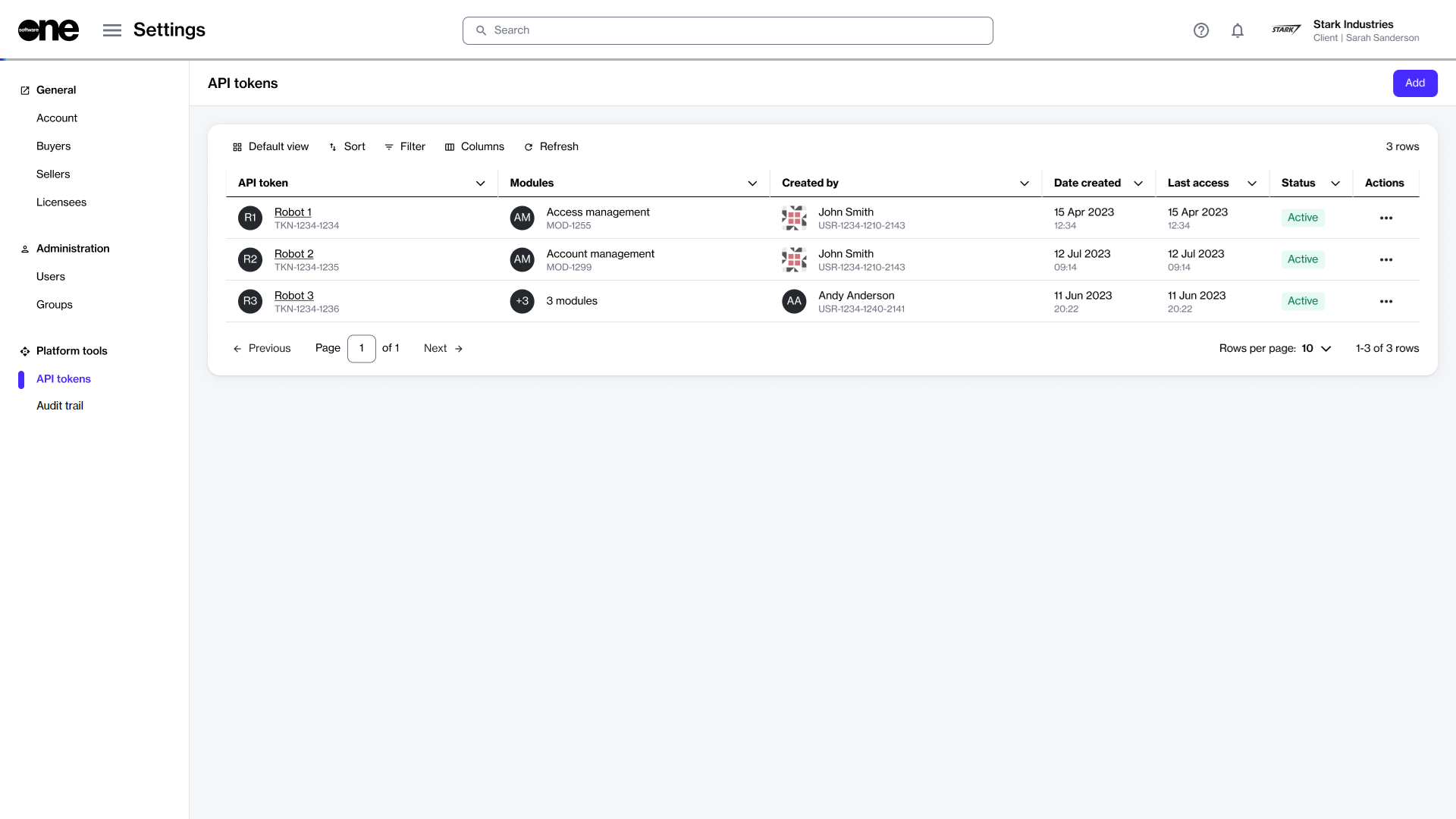
To access the list of tokens, go to **Settings** > **API tokens**.

For each token, you can view details such as the token name, the name of the person who created the token, the date of creation, and the [status](https://docs.platform.softwareone.com/modules-and-features/settings/api-tokens/token-states). From this page, you can also [disable or enable](https://docs.platform.softwareone.com/modules-and-features/settings/api-tokens/enable-or-disable-api-token), [edit](https://docs.platform.softwareone.com/modules-and-features/settings/api-tokens/edit-api-token), or [delete a token](https://docs.platform.softwareone.com/modules-and-features/settings/api-tokens/delete-api-token).

<div data-with-frame="true"><figure><img src="https://content.gitbook.com/content/Z5DNbniz33mXCZoO62Rm/blobs/kvC0WviWr5LSenWHB5rU/API%20token.png" alt=""><figcaption><p>The API tokens page in the platform.</p></figcaption></figure></div>

### Viewing token details

To view token details:

1. Go to **Settings** > **API tokens**.
2. Select the token you want to view. The token details page opens.
3. Use the tabs on the token details page to access different types of information:

<table><thead><tr><th width="197">Tab</th><th>Description</th></tr></thead><tbody><tr><td><strong>General</strong></td><td>Displays the token's description and allows you to show, hide, and copy the values.</td></tr><tr><td><strong>Modules</strong></td><td>Displays the modules that the API token has been granted access to within the scope of an account.</td></tr><tr><td><strong>Details</strong></td><td>Displays the date and time information for your selected token, for example, the date and time when the token was created.</td></tr><tr><td><strong>Audit trail</strong></td><td>Displays a record of events related to the token. For more information, see <a href="https://docs.platform.softwareone.com/modules-and-features/settings/audit-trail">Audit Trail</a>.</td></tr></tbody></table>
