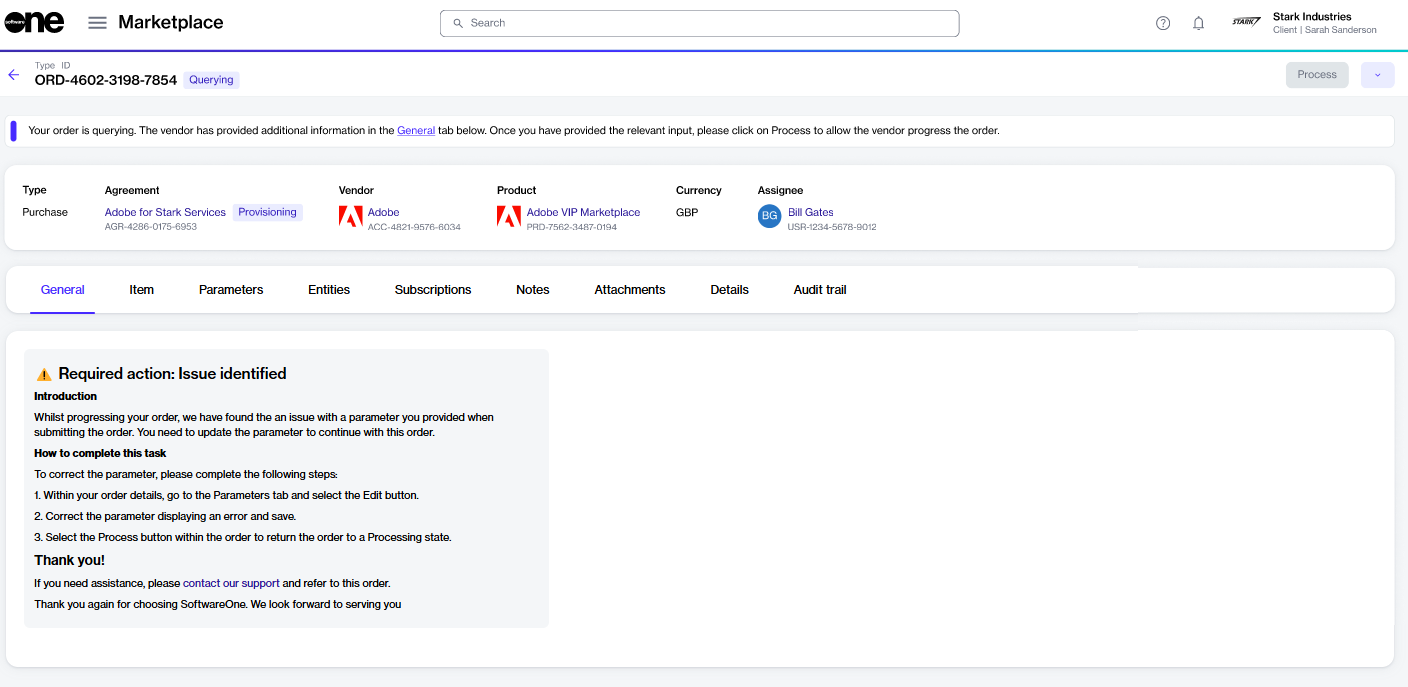
Move a querying order to Processing
In some cases, you may need to provide additional information if your order information is incorrect or incomplete, or requires specific steps to be completed before it can be processed.
Orders that need your attention appear with a Querying status. When you open a querying order, the General tab on the details page explains what needs to be corrected and how to resolve the issue.
After completing the required steps, you must update the order status from Querying to Processing. Updating the status notifies SoftwareOne and the vendor that the order is ready for their review and further processing.
To move an order from Querying to Processing:
Go to Marketplace > Orders.
(Optional) Use the or to find the required order.
Select the order to open its details page.
On the General tab, review the message and take the required action.
Select Process. This button becomes available only after you have completed the required action indicated in the message.