Browse individual items in the Marketplace.
An item is an individual stock-keeping unit (SKU) within a product. Each item has its own specific name, billing model, commitment term, and billing period.
A product can contain one or more items. For example, a Microsoft 365 product may include multiple subscription options with different billing and commitment terms.
To view all items in the catalog:
Go to Catalog > Items.
Browse the list of purchasable items.
Use filters and column customization options to refine the list and display the information most relevant to you.
To view additional information, select an item name from the list.
The item details page includes a full item description, associated pricing information, related product information.
Items cannot be ordered individually from the Items page.
To order an item, start a purchase order or change order workflow. During the item selection step, available items are displayed so you can add them to your order.
Access vendor profiles to learn about all vendors in the SoftwareOne Marketplace.
The Vendor profiles page provides detailed information about software vendors in the catalog.
They consolidate key vendor information in one place, making it easier to evaluate vendors and explore their products and offerings. Each vendor profile may include a full vendor description, product portfolio, contact details, and supporting resources.
To open the Vendor profiles page, select Catalog > Vendor profiles from the main menu.
The page displays vendor profile cards and filters in the left sidebar. You can select a card to open the full profile and view details.
View purchasable items and available options.
Browse products available in the catalog.
Review product details and related information.
Review vendor details for products in the catalog.

Review broader product information and related resources.
The Product profiles page provides detailed information about software products in the catalog.
It consolidates key product details and supporting resources in one location, making it easier to evaluate products and explore related information. Each product profile can include product description, features and benefits, supporting documentation, related products, and resources.
To open the Product profiles page, select Catalog > Product profiles from the main menu.
The page displays product profile cards and filters in the left sidebar. You can select a card to open the full profile and view details.
Use filters to narrow the list of available profiles. You can combine multiple filters to refine your search. Available filters include:
Category – Filter by specific software categories, such as Accounting, Human Resources, Content Management Systems, and more.
Industry – Filter by business sectors or markets, such as Education, Hospitality, and more.
Segment – Filter by organization size. Common segments include Small Business, Mid-Market, Enterprise, and Startups.
Vendor profile – Filter profiles by vendors, such as Adobe, Microsoft, and more.
To apply filters:
Select a filter type under Filter by.
Choose one or more filter values.
Select Apply.

Browse purchasable software products in the Marketplace.
A product is a software solution or service offered by a vendor.
Each product includes one or more purchasable items, also called SKUs. Products can also include parameters that collect required order details, such as agreement data, contact details, and quantity.
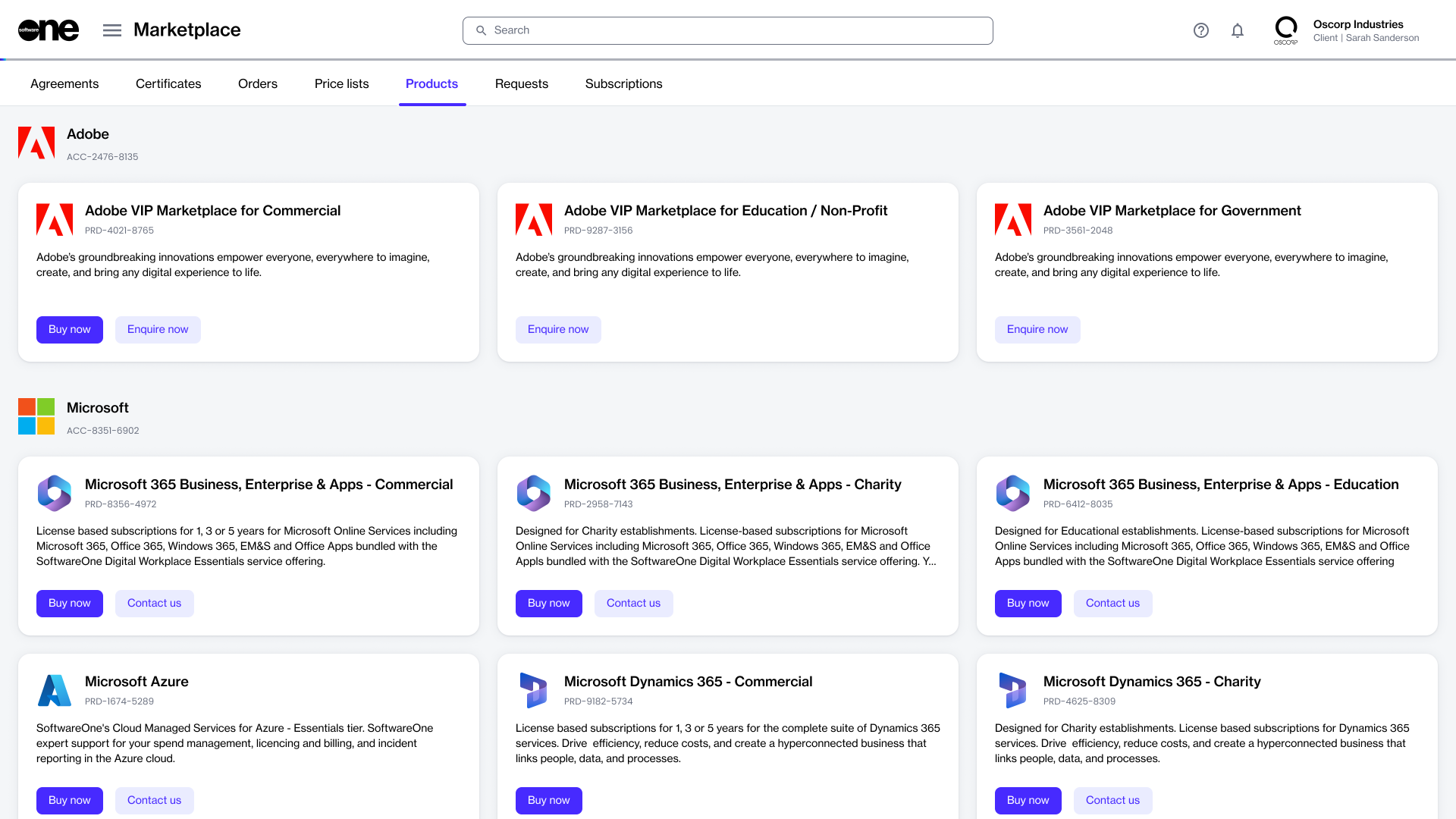
The Products page allows you to browse software products available in the Marketplace catalog. You can review product details, pricing information, available items (SKUs), and vendor information before starting a purchase.
To view the available products:
Go to Catalog > Products. The page displays a list of products available to your organization.
Browse the list of products.
Select a product to open its details page.
The product details page provides additional information about the selected product, including associated items, pricing, and purchasing options.
Depending on the product configuration, additional resources or related information may also be available.
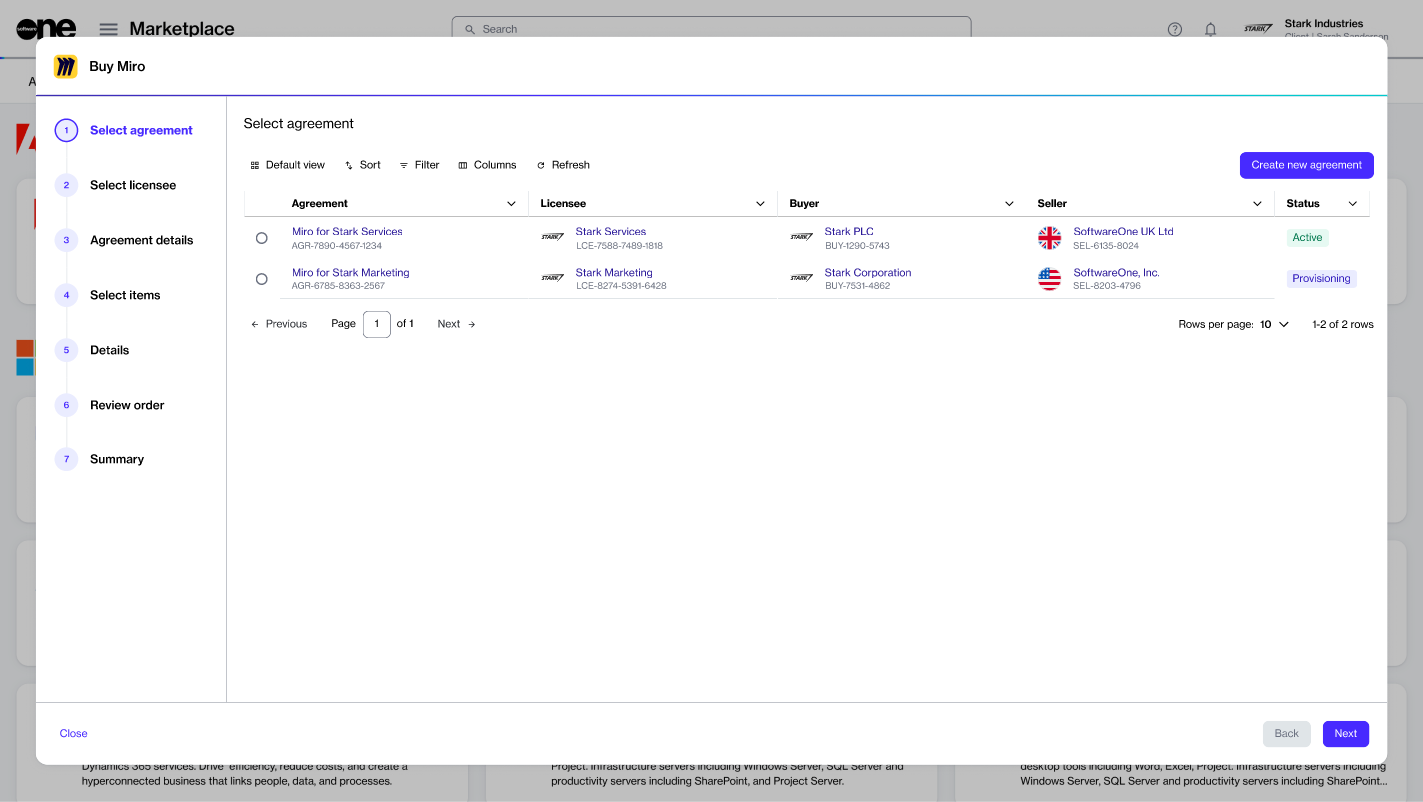
To start a purchase, open a product details page and select Buy now. The purchase wizard guides you through the ordering process, including:
Agreement selection
Licensee information
Item selection
Order review
The available ordering steps may vary depending on the vendor and product configuration.