Remove a user from your Marketplace account.
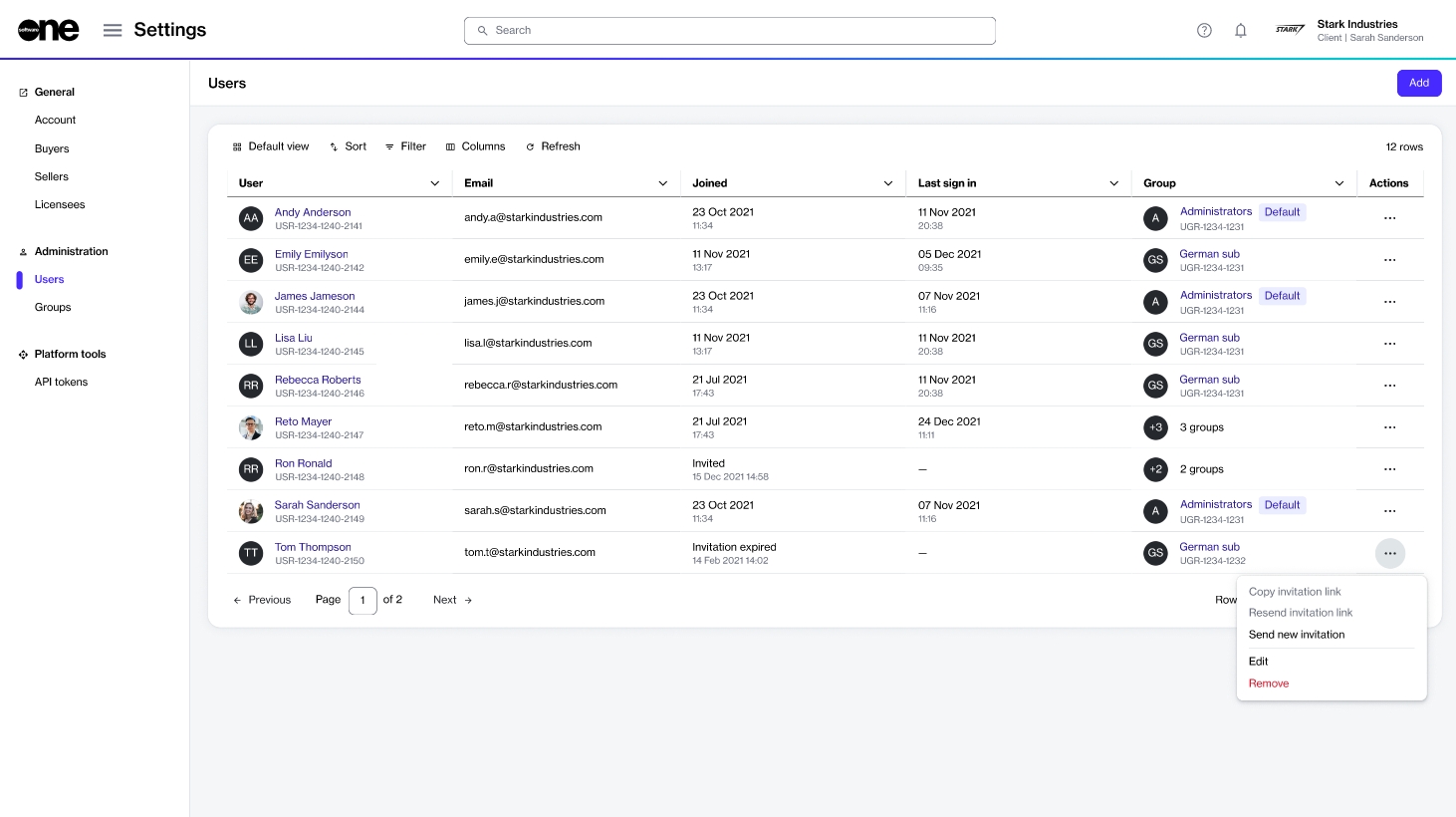
In certain situations, you may need to remove a person from your account. If you are an account administrator, you can use the Remove option on the Users page to delete an individual from the account.
Before removing an individual, note the following points:
Ensure that you have reviewed the individual's permissions and assigned groups. This is necessary to prevent accidental removal.
Removing an individual doesn't delete them from the platform. It only removes them from the account. If the individual belongs to other accounts, they can still access those accounts.
A removed user can be .
You cannot remove yourself from the account. The platform shows a message if you try to remove yourself.
If you remove an individual with an Invited status, their invitation link no longer remains valid.
To remove a user from your account:
Go to Settings > Users.
Locate the individual you want to remove.
Select the actions icon (•••), then choose Remove.
In the Remove user dialog, select Remove to confirm.
A message is displayed stating that the user was removed. Additionally, the user receives an email stating that they have been removed from the account and its groups.