Manage a user’s group membership.
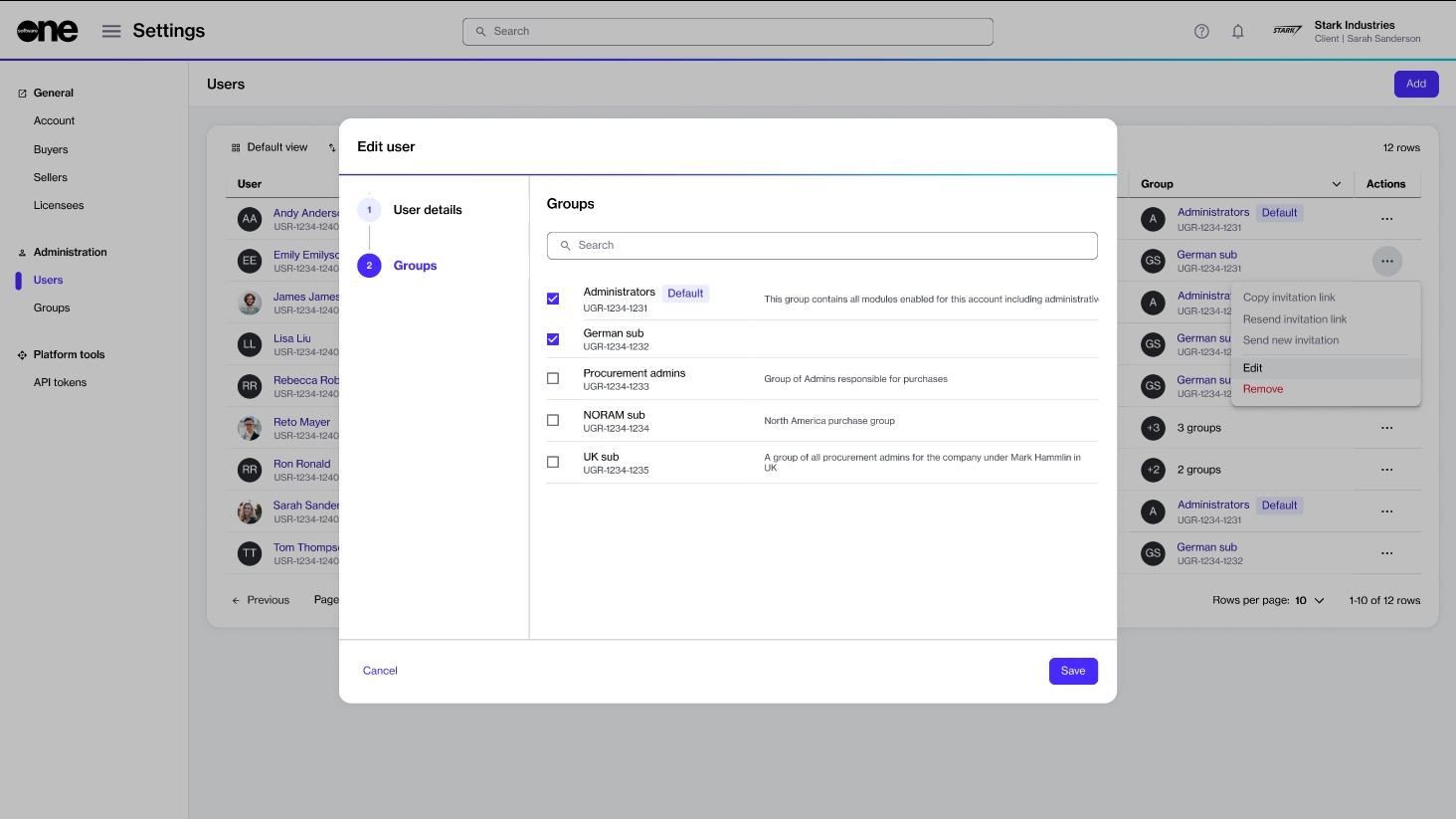
The Edit option on the Users page allows you to modify a user’s group memberships. This means you can add or remove the groups the user belongs to.
Personal details, such as name, email address, or contact details, cannot be edited from this page. If these details need to be updated, the user must make the changes through My Profile in their profile menu. For more details, see Manage your profile.
To edit a user:
Go to Settings > Users.
Find the user you want to edit. Then, do one of the following:
Select the actions icon (•••), then select Edit.
Select the user name. Then, on the user details page, select Edit.
In the Edit user flow, select the Groups step and make changes as needed:
To add the user to a group, select the checkbox for that group.
To remove the user from a group, clear the checkbox.
Select Save. A confirmation message is displayed stating that the user was edited successfully.