Service Provider Dashboard

View and generate reports for your Microsoft SPLA contract.
The Service Provider Dashboard allows you to visualize your Service Provider Licensee Agreement (SPLA) contract and its cost-related data.

To access the dashboard, select the main menu, then choose Procurement > Service Provider Dashboard.

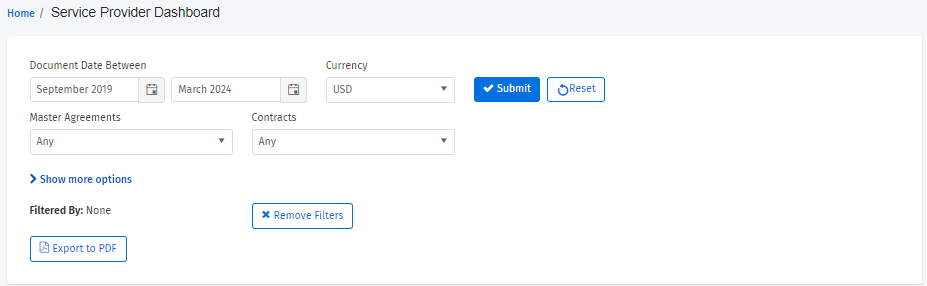
The dashboard contains filters and a display area for data visualization. You can select a date range for your SPLA report and use filter options to control the data you want to visualize.

You can filter by currency, agreements, and contracts, and use Show more options to select the advanced Report and Product filters. You can also choose if you want to show the total quantity and the Product/Month graph on the dashboard.

Filter options

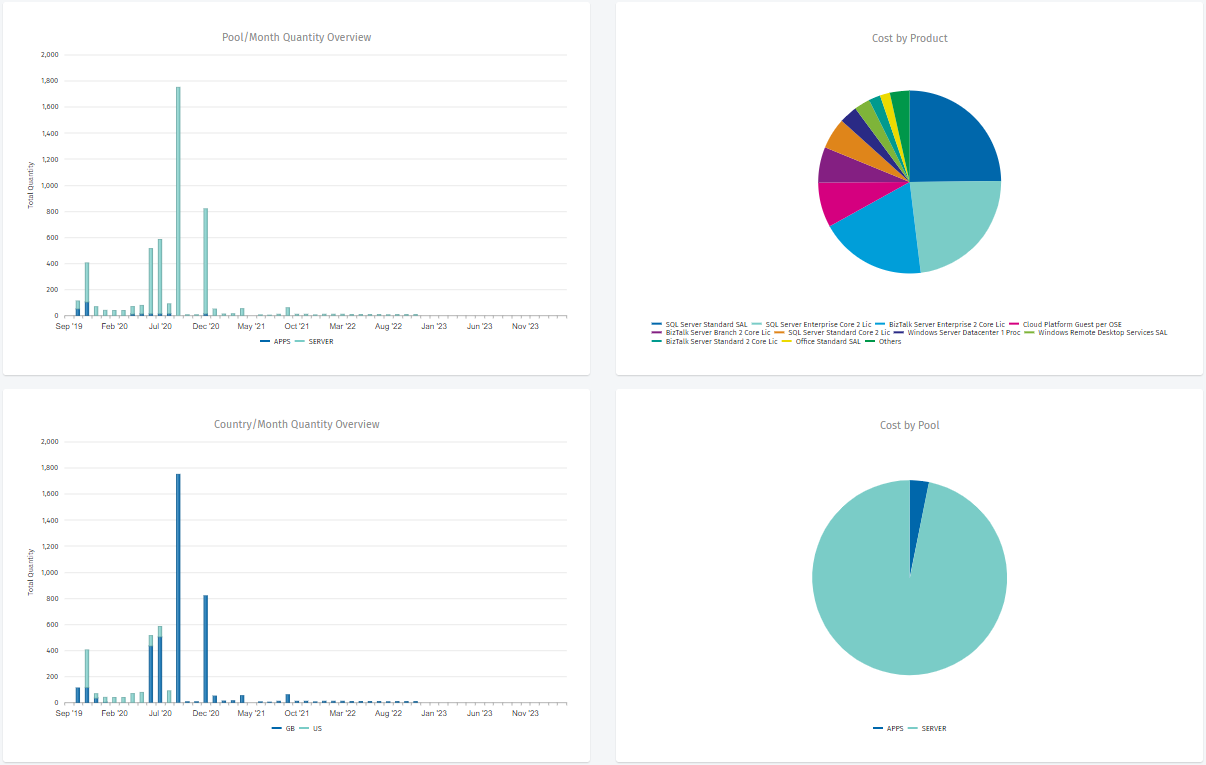
After applying filters, the following data is displayed on the dashboard:

  • The cost of monthly usage by pool.

  • The distribution of costs by product.

  • The monthly costs by country.

  • The distribution of costs by pool.

Data visaulization

After the data appears, you can further refine your filters by clicking on any legend within a diagram. To adjust or clear your current filters, select Reset or Remove filters, respectively.

To export the current page as a PDF, click Export to PDF in the filter options. The file will be downloaded automatically to your system.

Microsoft Services Provider License Agreement (SPLA) Reportchevron-right

Last updated

Was this helpful?