A request in the Marketplace Platform represents a pre-sale inquiry. This can include queries about products, subscriptions, pricing, billing, product availability, and more.
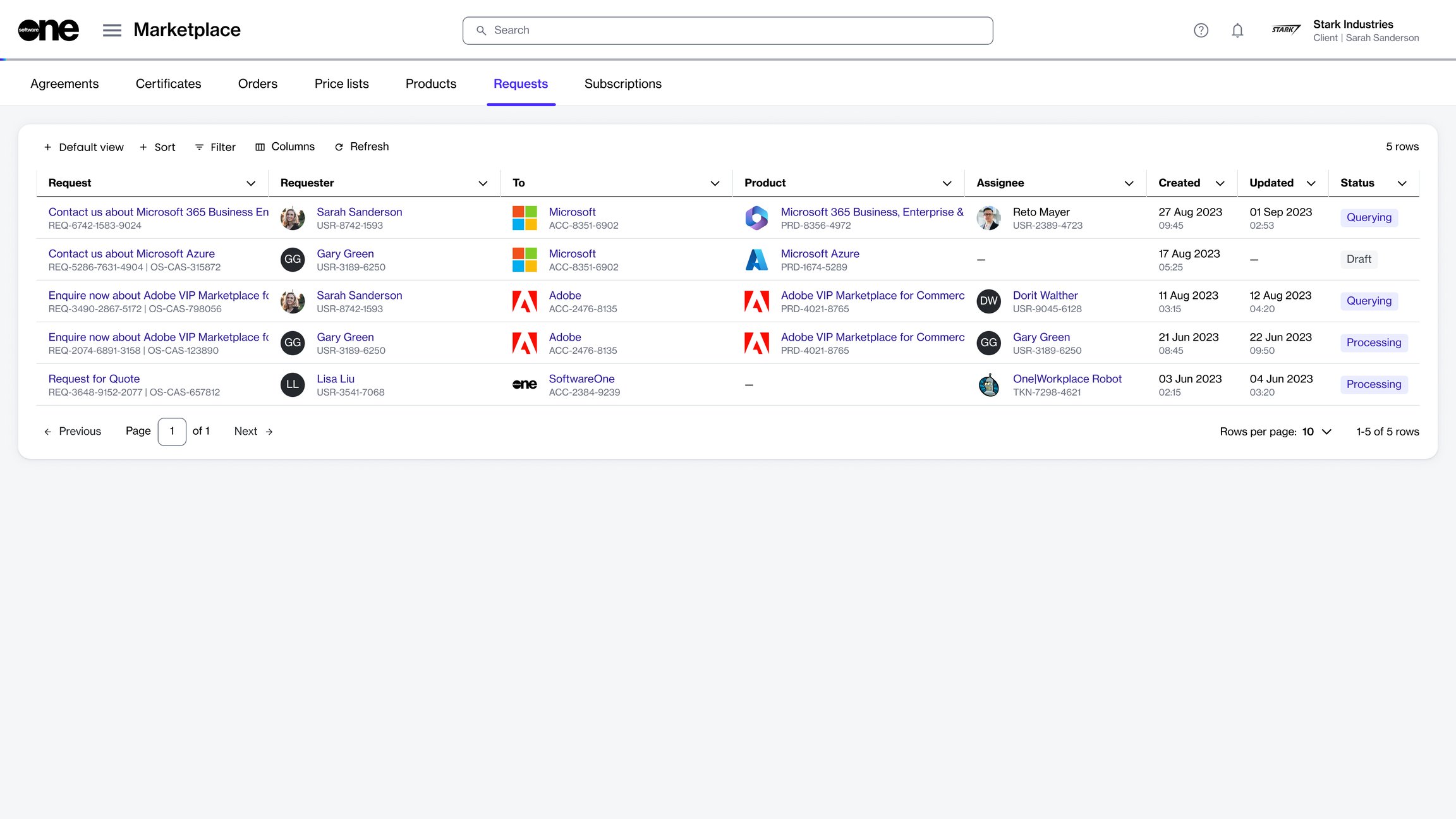
Client account users can create new requests through the Products page and track existing queries through the Requests page. The page displays all requests, including requests that are raised by other members in your account.
You can view and manage your requests from the Requests page in the platform.
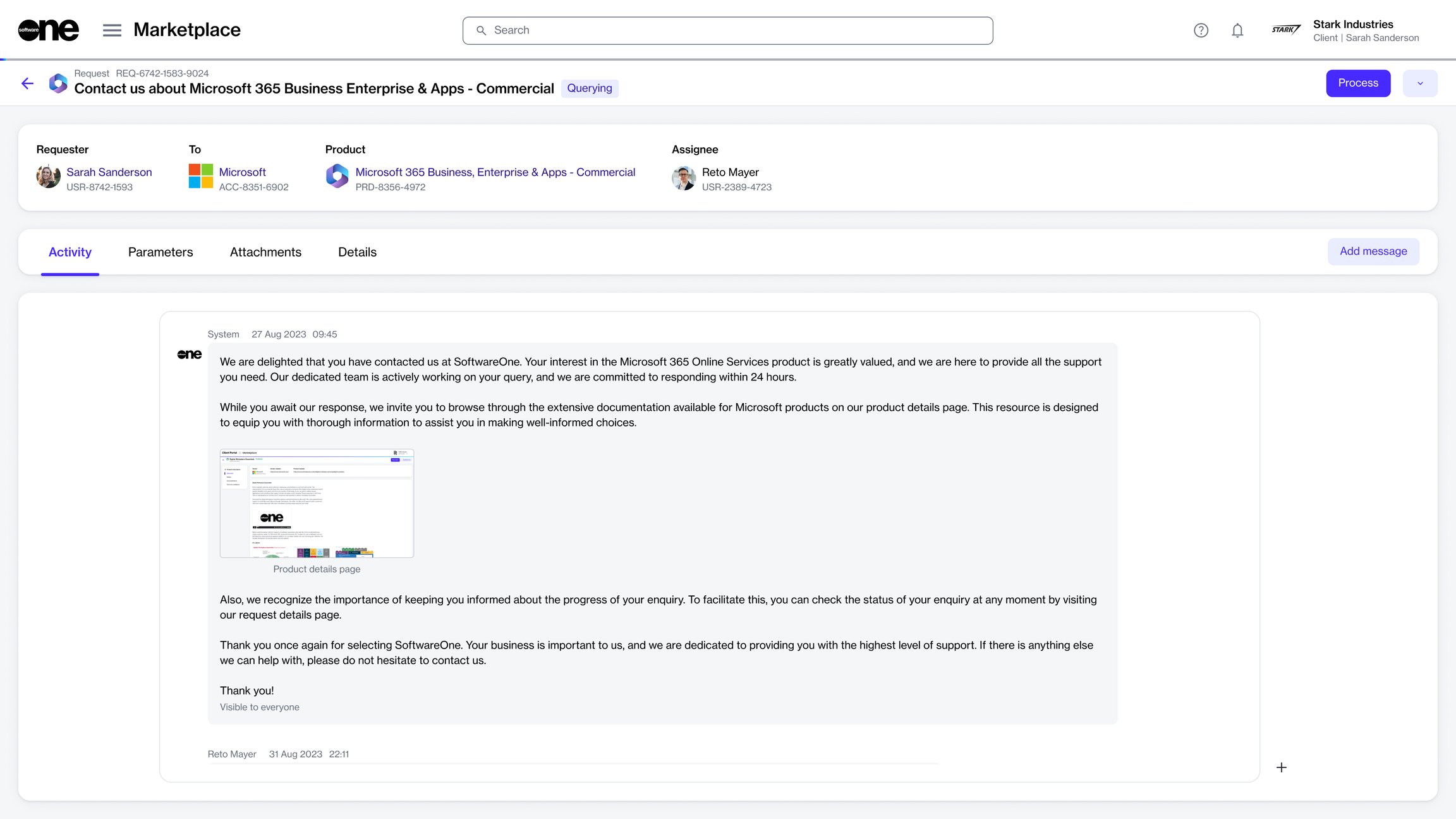
The details page of a request gives you in-depth information about the request. To open the details page, select the request on the Requests page.
On the request details page, you can view the request's general information, including the product for which you raised the request and the request status.
The details page also contains these tabs:
From the details page, you can complete the following tasks:
Activity
Displays the activity information, including the message history for the request. Clicking Add message allows you to to the conversation.
Parameters
Displays the request parameters. Parameters are for viewing only and can't be edited.
Attachments
Displays all the files attached to the request. You can also .
Details
Displays the additional IDs and the timestamps of all changes made to the request