
Orders
In the SoftwareOne Marketplace, an order represents a business transaction created under an agreement. The following types of orders exist in the platform:
Purchase orders - Created when you buy a new product or service by establishing a new agreement.
Change orders - Created when you modify the number of licenses for a subscription, for example, when you order additional licenses or reduce the quantity of current ones.
Terminate order - Created when you want to end an active subscription or agreement.
Configuration order - Created when you want to enable or disable the auto-renewal of a subscription.
Viewing the list of orders
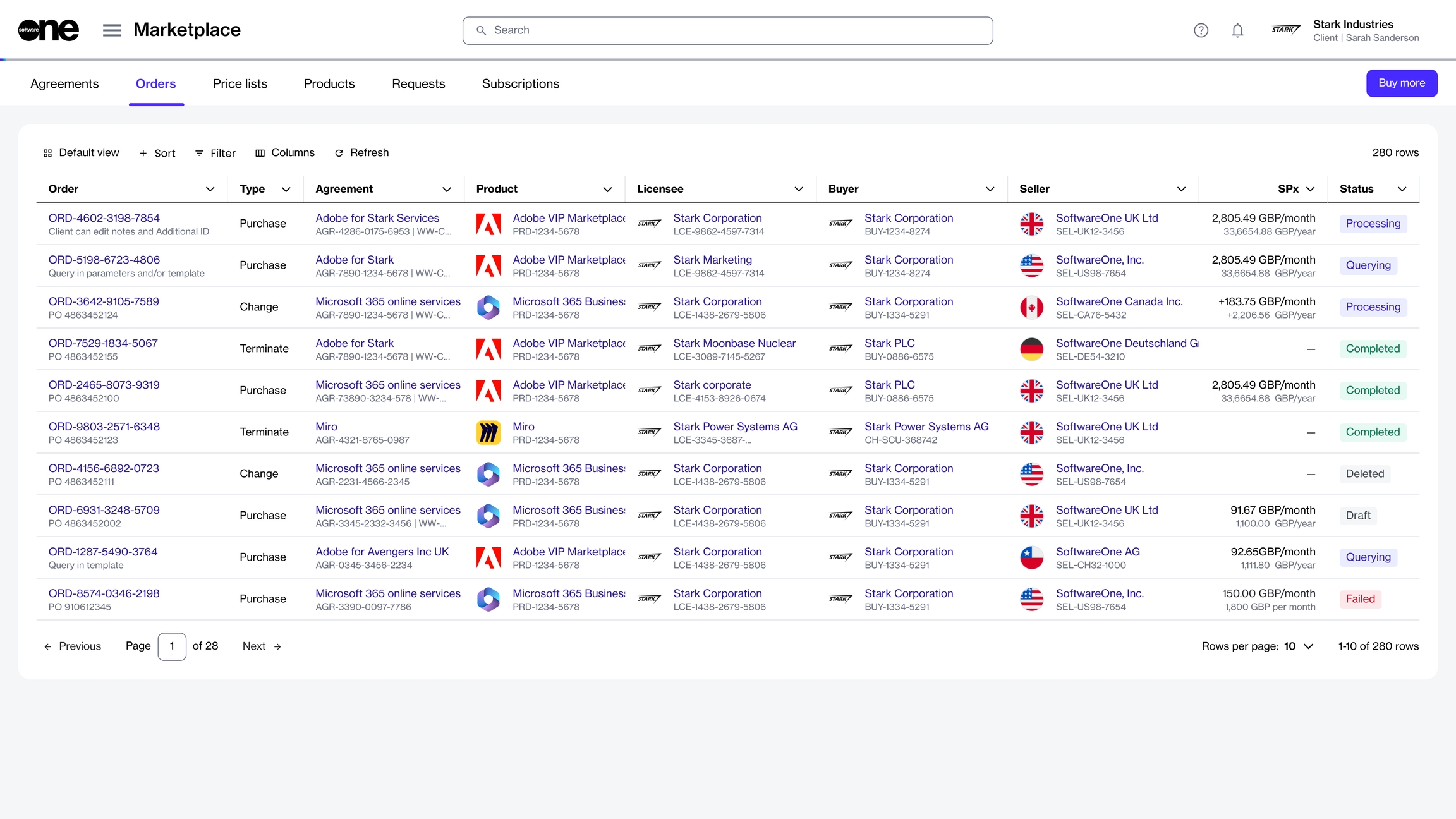
To view your orders, go to Marketplace > Orders.
When you launch the Orders page, all orders in your account are displayed. For each order, you can view information, such as the order number, linked agreement, product name, estimated sales price, status, and more.
You can use the sorting and filtering options to customize the list and show or hide specific columns as needed. For more information, see How to filter orders.
Viewing order details
On the order details page, you can view detailed information about an order. Some information is read-only, while other fields include links that allow you to navigate to related records.
To view order details:
Go to Marketplace > Orders.
Select the order you want to view. The order details page opens.
Use the tabs on the order details page to view different types of information:
General
Displays the most up-to-date information for the order.
Entitlements
Displays the items you have purchased along with their details, including quantity, pricing, status, and more.
Parameters
Displays the order's fulfillment and ordering parameters.
Entities
Displays the entities linked to the order, including the licensee, buyer, and seller.
Subscriptions
Displays the subscriptions associated with the order and their details. Subscriptions are displayed only after they have been activated.
Assets
Displays assets or one-time items in the order. For more information on one-time items, see Assets.
Notes
Displays any notes entered during the ordering process. You can add or update these notes using the Edit option.
Attachments
Lists all files available for download under the agreement. For more information, see View and download attachments.
Certificates
Displays certificates used during the ordering process.
Details
Displays timestamps and additional IDs, including the client and vendor IDs.
Audit trail
Displays a record of events related to the order. For more information, see Audit Trail.
Additional actions
You can perform various actions on the details page. The available actions depend on the status of the order:
Last updated
Was this helpful?