Audit Trail

Access the audit trail and messages for your account.

The Audit trail page allows administrators to monitor and track every action taken on objects (like orders and agreements) within your account.

You can use this page to see who made specific changes, when they made them, and in what context. It provides a detailed record of various types of actions such as data modifications, status updates, and events generated by the platform.

Each audit trail record includes timestamps, a summary of the event, object-specific details, and the actors involved.

Accessing the audit trail

Audit trail exists at the account-level as well as object-level.

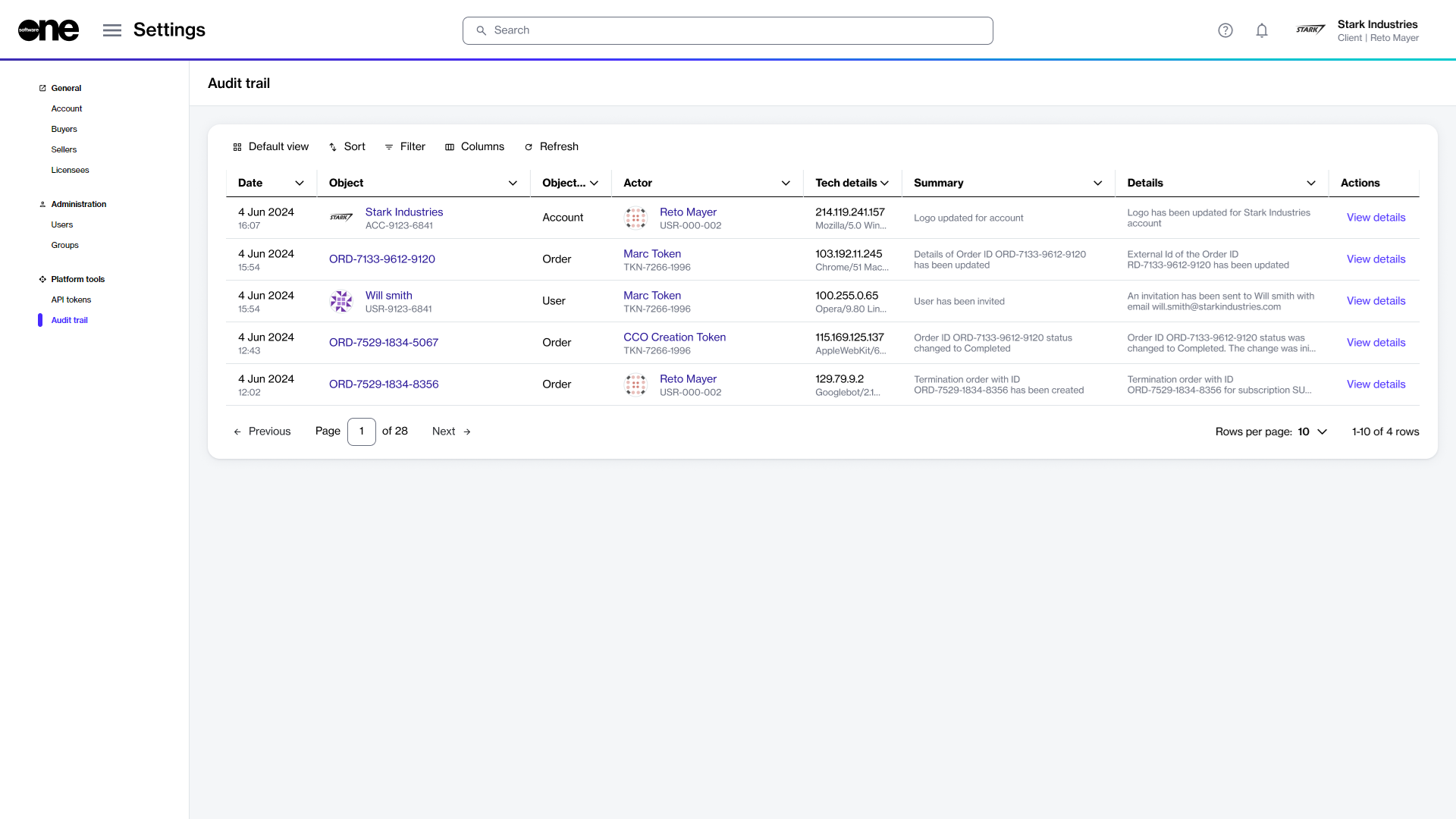
  • At the account level, you can view all audit trail records on the Settings > Audit trail page. For each record, you can view general information, including the date, object, summary, and more. If you want to view detailed information, select View details.

The Audit trail page in the platform.
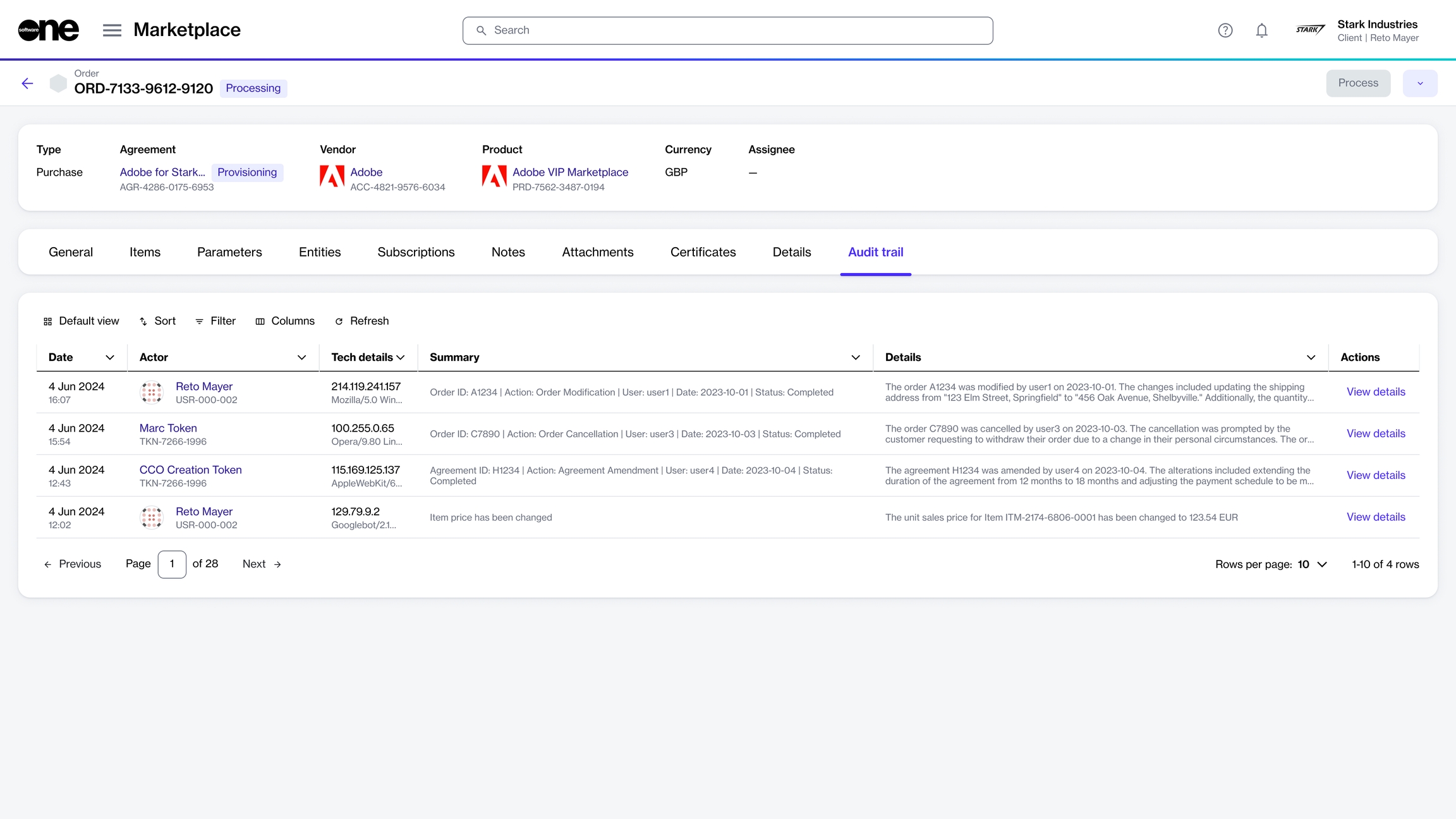
  • At the object level, you can view the log history within the Audit trail tab on the details page of your selected object. The following example shows the audit trail on the order details page:

The Audit trail tab within the order details page.

Viewing record details

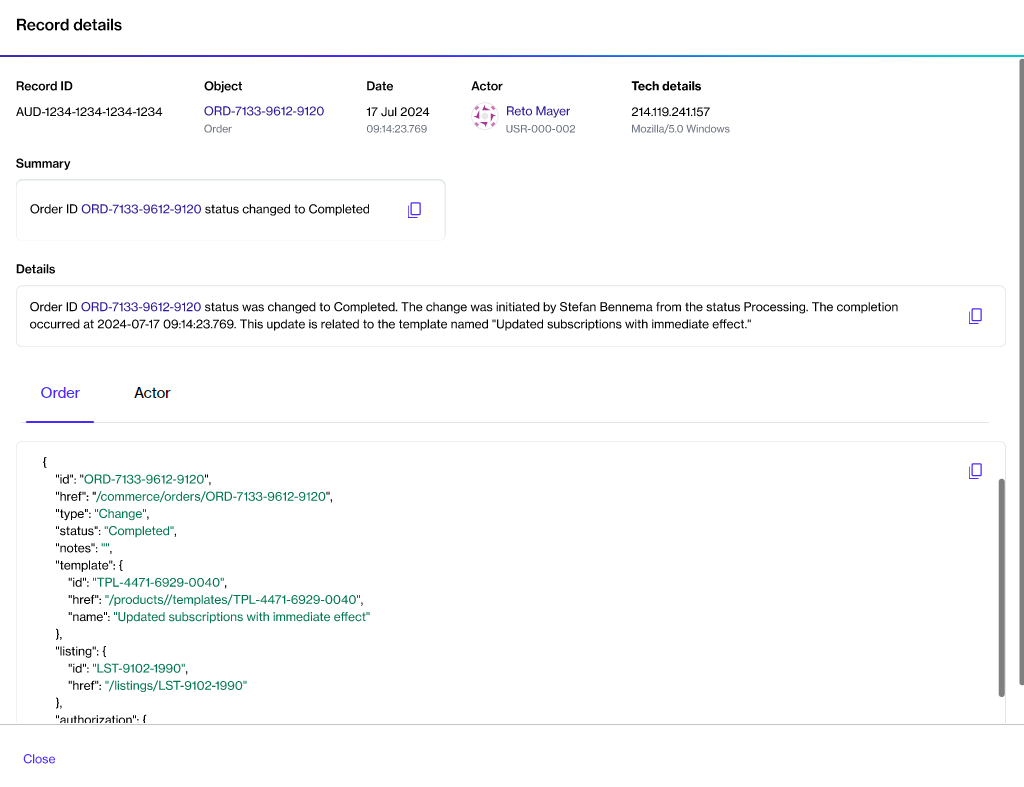
You can view detailed information for an audit trail log by selecting View details, available on both the Audit trail and object details pages.

This option allows you to view a JSON representation of the record. You can also copy the event summary, description, and JSON data using the Copy <svg xmlns="http://www.w3.org/2000/svg" height="24px" viewBox="0 -960 960 960" width="24px" fill="#5f6368"><path d="M360-240q-33 0-56.5-23.5T280-320v-480q0-33 23.5-56.5T360-880h360q33 0 56.5 23.5T800-800v480q0 33-23.5 56.5T720-240H360Zm0-80h360v-480H360v480ZM200-80q-33 0-56.5-23.5T120-160v-560h80v560h440v80H200Zm160-240v-480 480Z"/></svg> option.

The detailed information for an audit record.

Last updated

Was this helpful?