Buyers

Learn about buyers in the Marketplace Platform.

In the SoftwareOne Marketplace, a buyer is an organization that purchases products or services from SoftwareOne.

Buyers are registered as legal entities within SoftwareOne's ERP system, and they are the recipients of invoices issued by SoftwareOne. All buyers are added to an account by SoftwareOne.

Accessing buyers

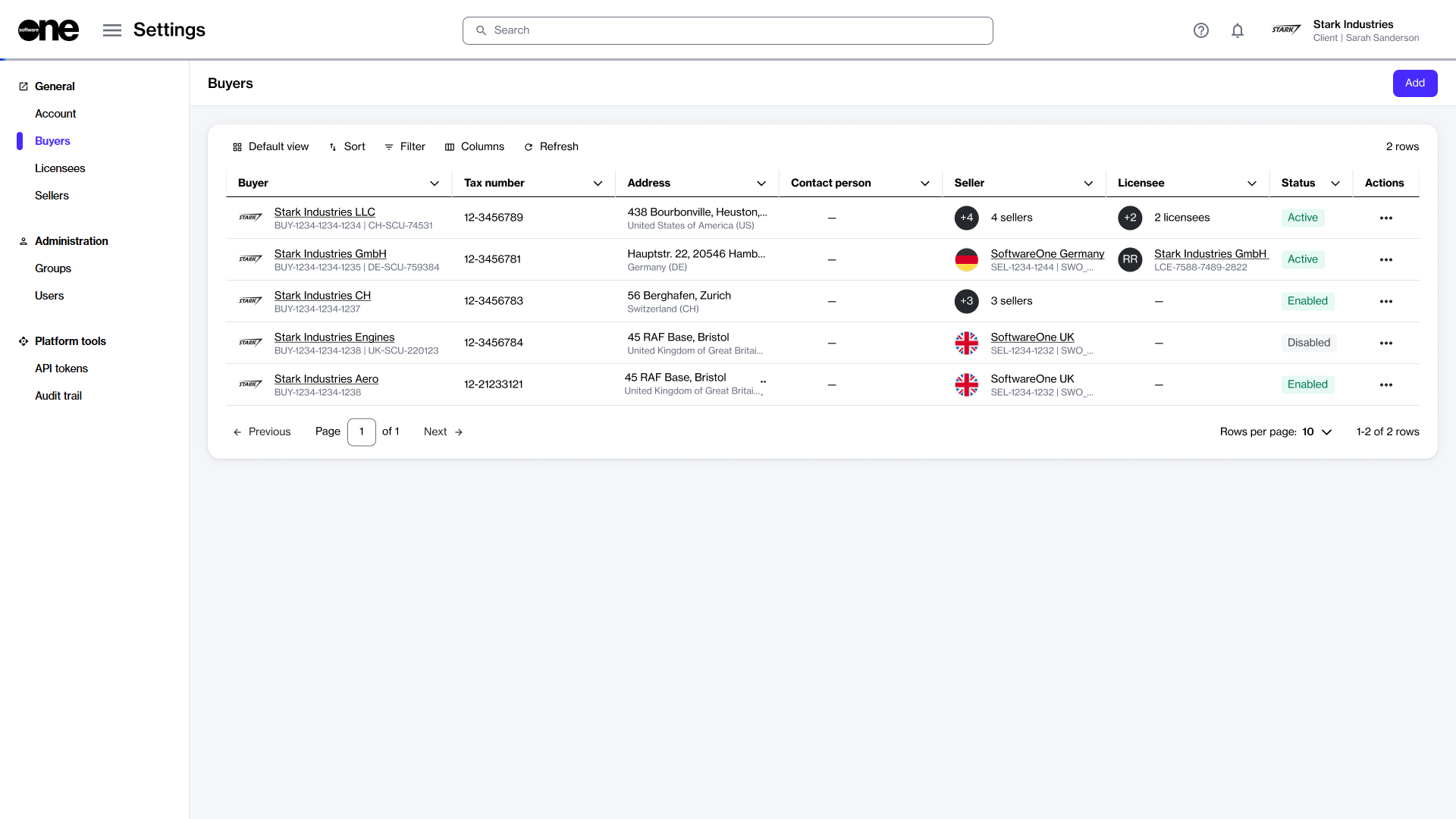
The Buyers page allows account administrators to view all buyers in the account. Administrators can also perform other administrative tasks, such as editing, enabling, or disabling a buyer.

To navigate to the Buyers page, select the main menu, then choose Settings > Buyers. The list of buyers is displayed as shown in the following image:

The Buyers page in the SoftwareOne Marketplace.

On the Buyers page, you can use the sort and filter options and show or hide specific columns to customize the list. You can view a buyer's details by selecting the buyer's name.

Edit buyerschevron-rightView buyerschevron-rightEnable or disable buyerschevron-right

Last updated

Was this helpful?