
View buyers
This topic describes how to view a list of buyers in your account, as well as details about a specific buyer.
Viewing a list of buyers
To view a list of buyers:
Go to Settings > Buyers.
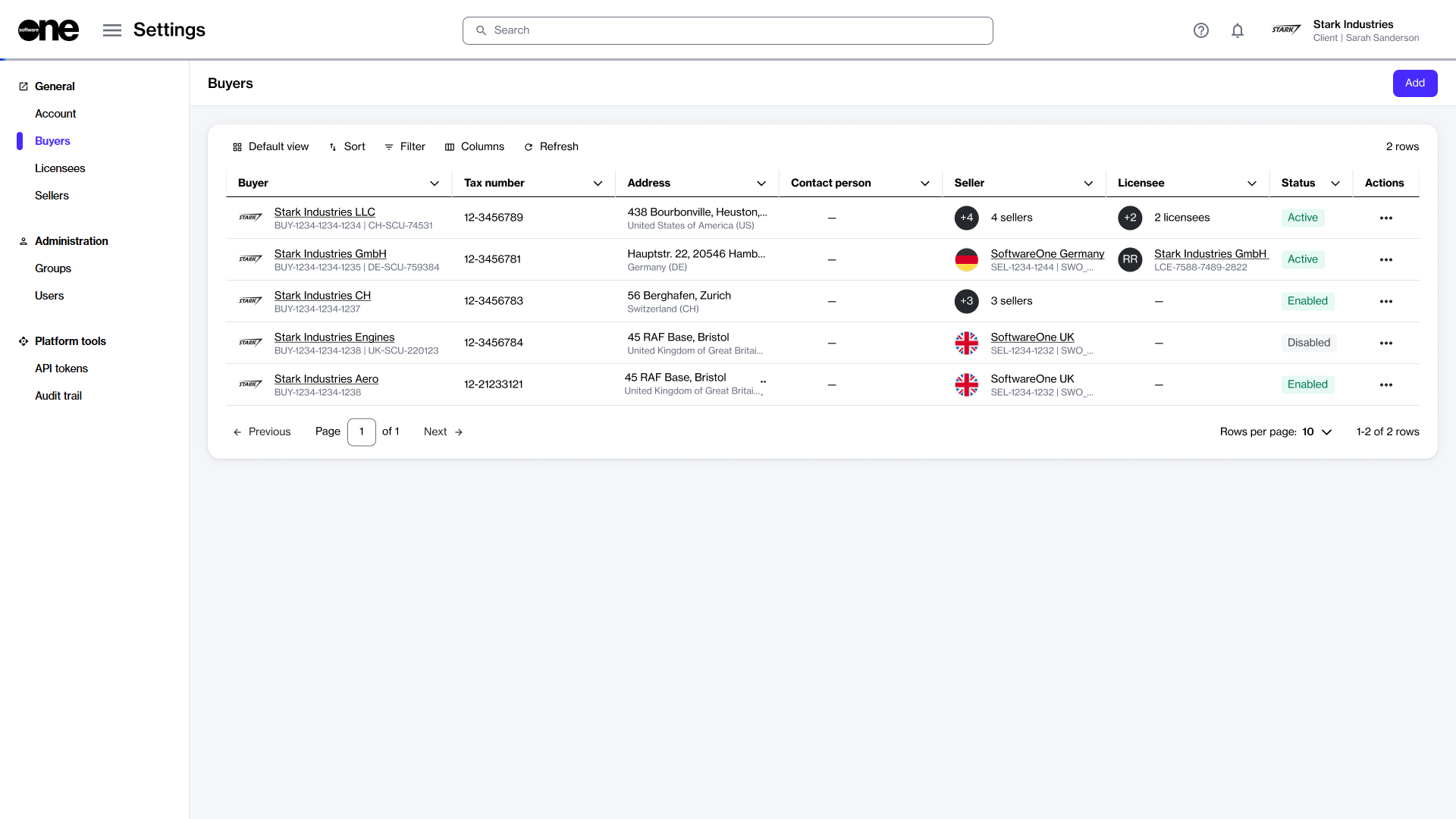
View the list of buyers displayed on the page.
Review information such as the buyer's name and address, tax identifier, and contact person. You can also view buyer status, including:
Enabled - Indicates that the buyer has been created in the system, but it hasn't been activated yet by SoftwareOne.
Active - Indicates that the buyer is active, and you can select it from your list of buyers when ordering products.
Disabled - Indicates that the buyer has been disabled, and you can no longer select it when buying products.
Mismatch - Indicates that the buyer’s data is not in sync with our system. This discrepancy can occur for several reasons. Contact support for assistance
Viewing buyer details
On the buyer details page, you can view properties, such as account name, ID, and status, SCU identifier (which represents a unique ID for your customer card or profile within the SoftwareOne ERP system), and tax number.
To view buyer details:
Go to Settings > Buyers.
Select the buyer you want to view. The buyer details page opens.
Use the tabs on the buyer details page to access different types of information:
General
Displays the buyer's address and the contact person's details.
Sellers
Displays the SoftwareOne entity associated with the buyer. There's a 1:1 relationship between a buyer and seller, meaning each buyer is linked to one or more sellers. The ERP link status is also displayed on this tab. An ERP link is a reference to the customer record in the SoftwareOne ERP system.
Licensees
Displays the licensees associated with the buyer, along with their details.
Details
Displays timestamps for various events and external IDs, such as Customer Discount Group (CDG) and Company Contact (CON) identifiers.
Audit trail
Displays a log of events for the buyer. For more information, see Audit Trail.
In the Marketplace platform, the buyer's address fields must meet certain requirements. If any address fields are empty on the General tab, the SoftwareOne ERP system automatically fills them with the word 'unknown'. If you notice this, contact support for assistance.
If the status of the ERP link is Blocked, it indicates that you cannot transact with the specified seller. In such cases, contact support for assistance.
Last updated
Was this helpful?