You can easily disable an API token temporarily and enable it again when required through the platform. Before disabling a token, note the following points:
Disabling doesn't delete a token but makes it inactive until it's enabled again. When a token is disabled, any attempts to access the endpoint return an error.
The Enable option is shown only if you have disabled the token previously.
Enabling or disabling a token
To enable or disable a token:
Go to Settings > API tokens.
Find the token you want to manage.
Do one of the following:
Select the actions icon (•••) and choose Enable or Disable.
Select the token. Then, on the token details page, select the arrow and choose Enable or Disable. The following image shows the Disable option:
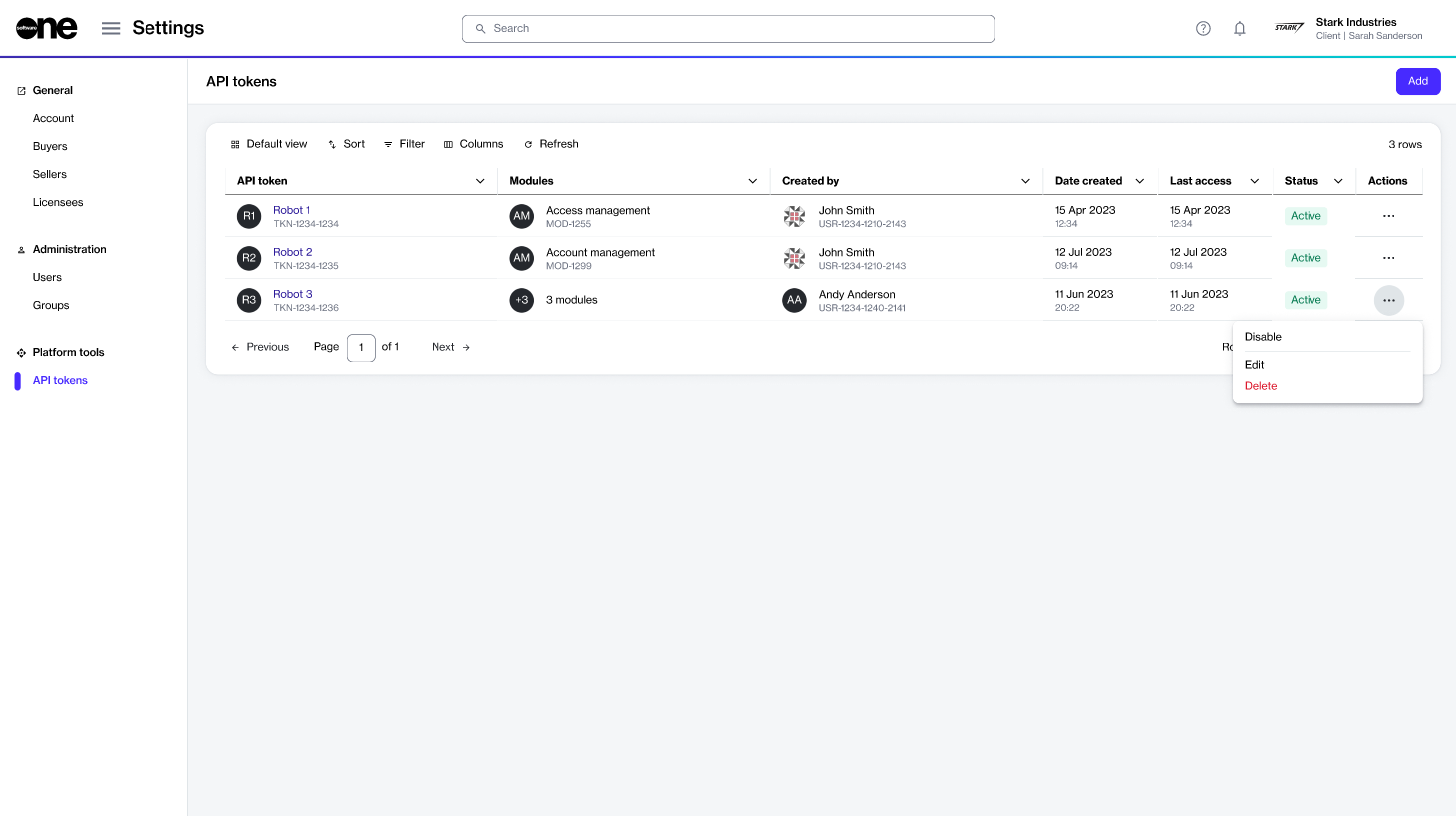
The Disable option on the API tokens page.
In the confirmation dialog, confirm the required action.
A message is displayed stating that the operation is successful. You can view the updated status of your token on the API token page.