Create API tokens

Create API tokens to access the platform programmatically.

Account administrators can create API tokens for authentication directly from the platform.

Creating a new API token

To create a new token:

  1. Go to Settings > API tokens.

  2. Select Add to start the Add API token wizard.

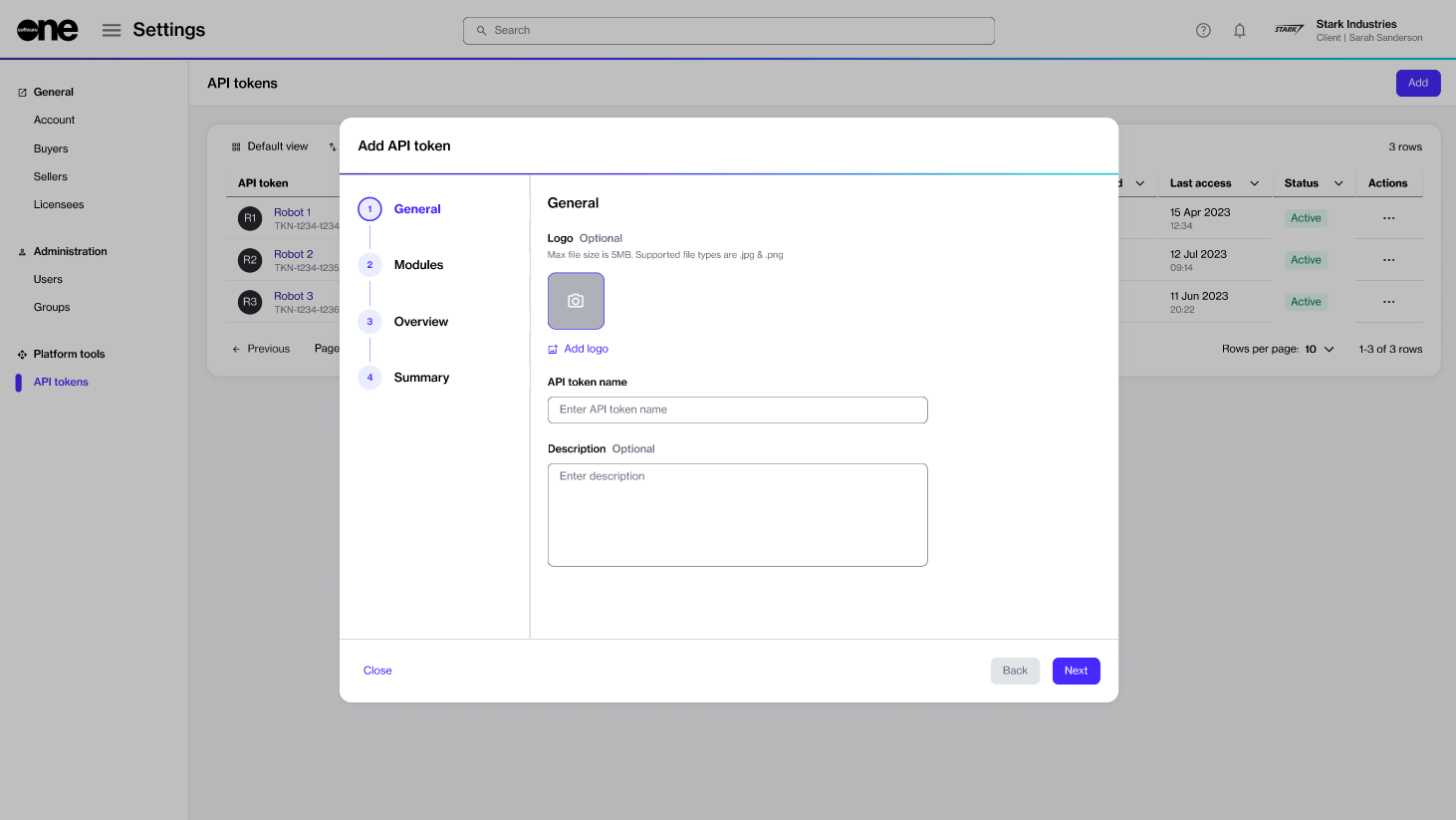
The Add API token wizard in the platform.
  1. In the General step, provide the following details:

    1. Logo - (Optional) Add an image for your token. You can select a file to upload or drop your file into the selection area. By uploading an image, you can easily identify your token from the list of tokens.

    2. Name - (Required) Enter a name for your token.

    3. Description - (Optional) Add the token description.

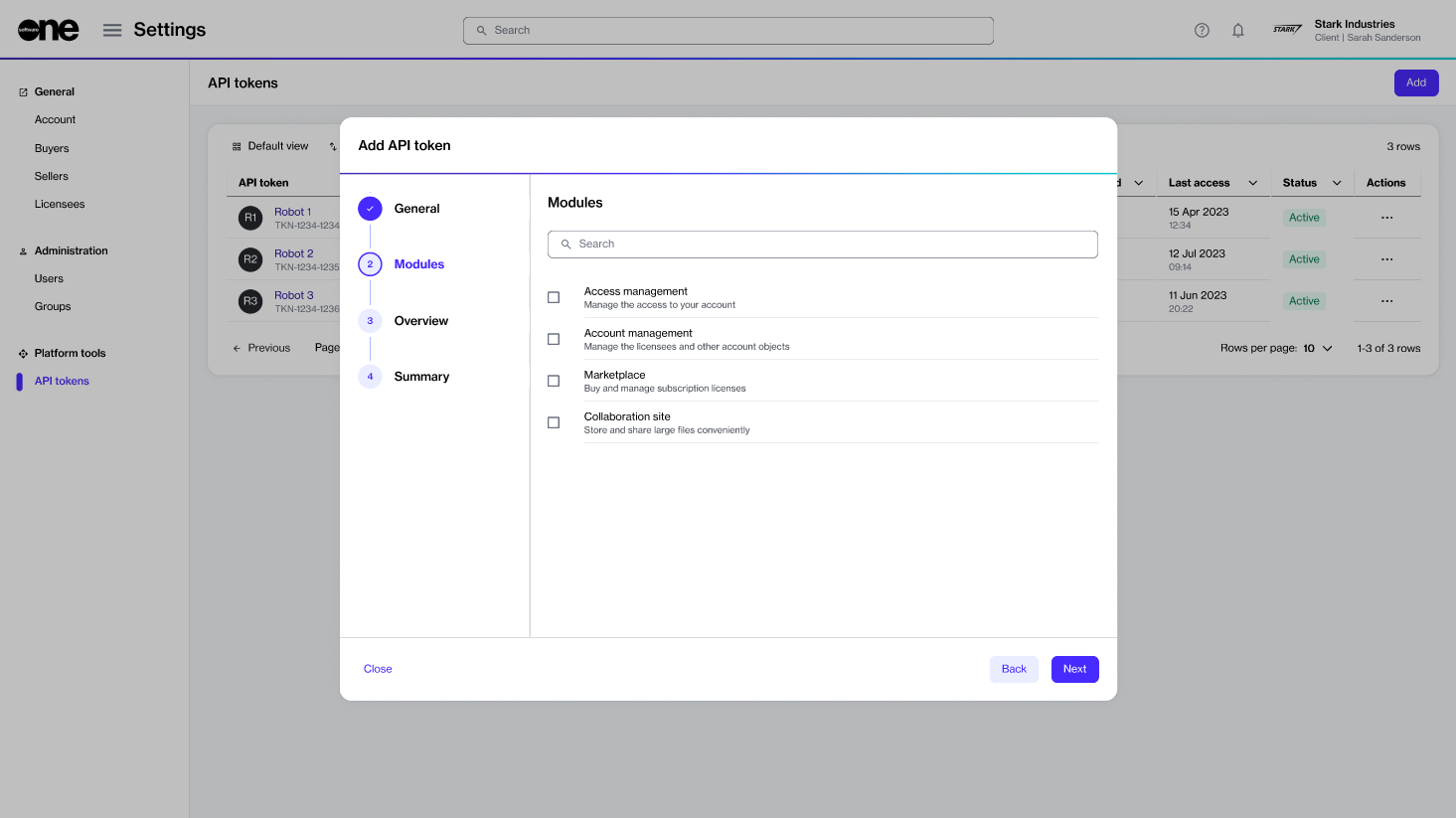
  2. Select Next. In the Modules step, select the platform modules that the token allows access to. When done, select Next. Note that only the modules that SoftwareOne has enabled for your account are displayed on the page.

The Module selection step when adding an API token.
  1. In the Overview step, verify the details and select Add. The token is created, and the token summary is displayed.

  2. Select View details to open the details page of your newly created token. Otherwise, select Close.

Last updated

Was this helpful?