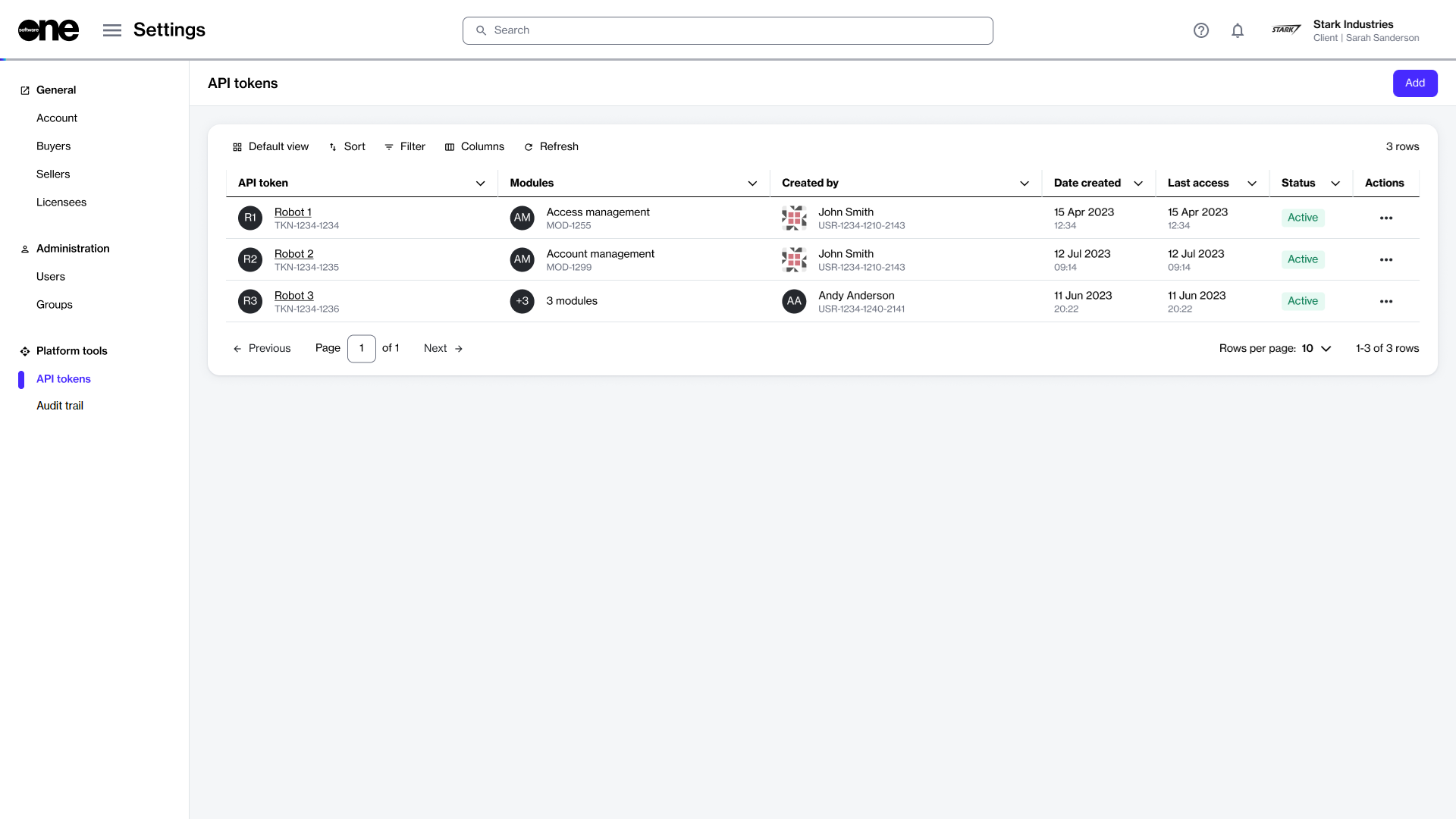
To access the list of tokens, go to Settings > API tokens.
For each token, you can view details such as the token name, the name of the person who created the token, the date of creation, and the status. From this page, you can also disable or enable, edit, or delete a token.
The API tokens page in the platform.
Viewing token details
To view token details:
Go to Settings > API tokens.
Select the token you want to view. The token details page opens.
Use the tabs on the token details page to access different types of information:
Tab
Description
General
Displays the token's description and allows you to show, hide, and copy the values.
Modules
Displays the modules that the API token has been granted access to within the scope of an account.
Details
Displays the date and time information for your selected token, for example, the date and time when the token was created.
Audit trail
Displays a record of events related to the token. For more information, see Audit Trail.