Delete API token

Delete an API token permanently.

If you no longer need a token, you can delete it using the Delete option on the API tokens page. Before deleting, note the following points:

  • A deleted token can't be reinstated or reused.

  • Deleting a token removes it from the account, which means that the token is no longer displayed on the API tokens page.

Deleting an API token

To delete a token:

  1. Go to Settings > API tokens.

  2. Find the token you want to delete.

  3. Perform one of the following steps:

    • Select the token. Then, on the token details page, select and choose Delete.

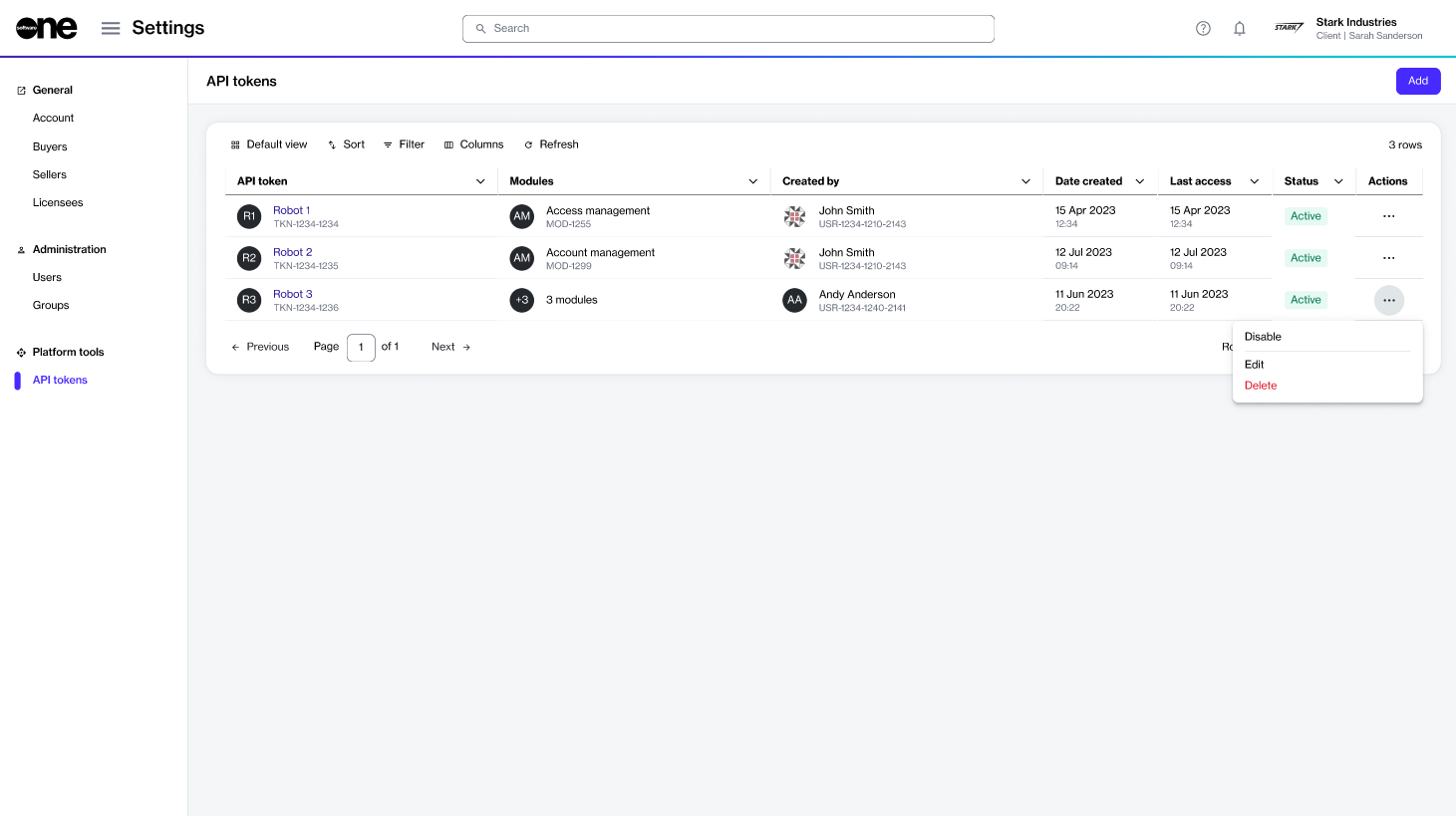
    • On the API tokens page, select the actions icon (•••) for the token, then choose Delete.

The Delete option on the API tokens page.
  1. In the Delete API token dialog, confirm you want to delete the token. A message is displayed stating that the API token is deleted successfully.

Last updated

Was this helpful?