
Agreements
An agreement is a record that establishes the terms and conditions of a transaction in the Marketplace.
It defines the relationships among objects, such as buyers, sellers, and licensees, and serves as the foundation for placing orders and creating subscriptions on the platform.
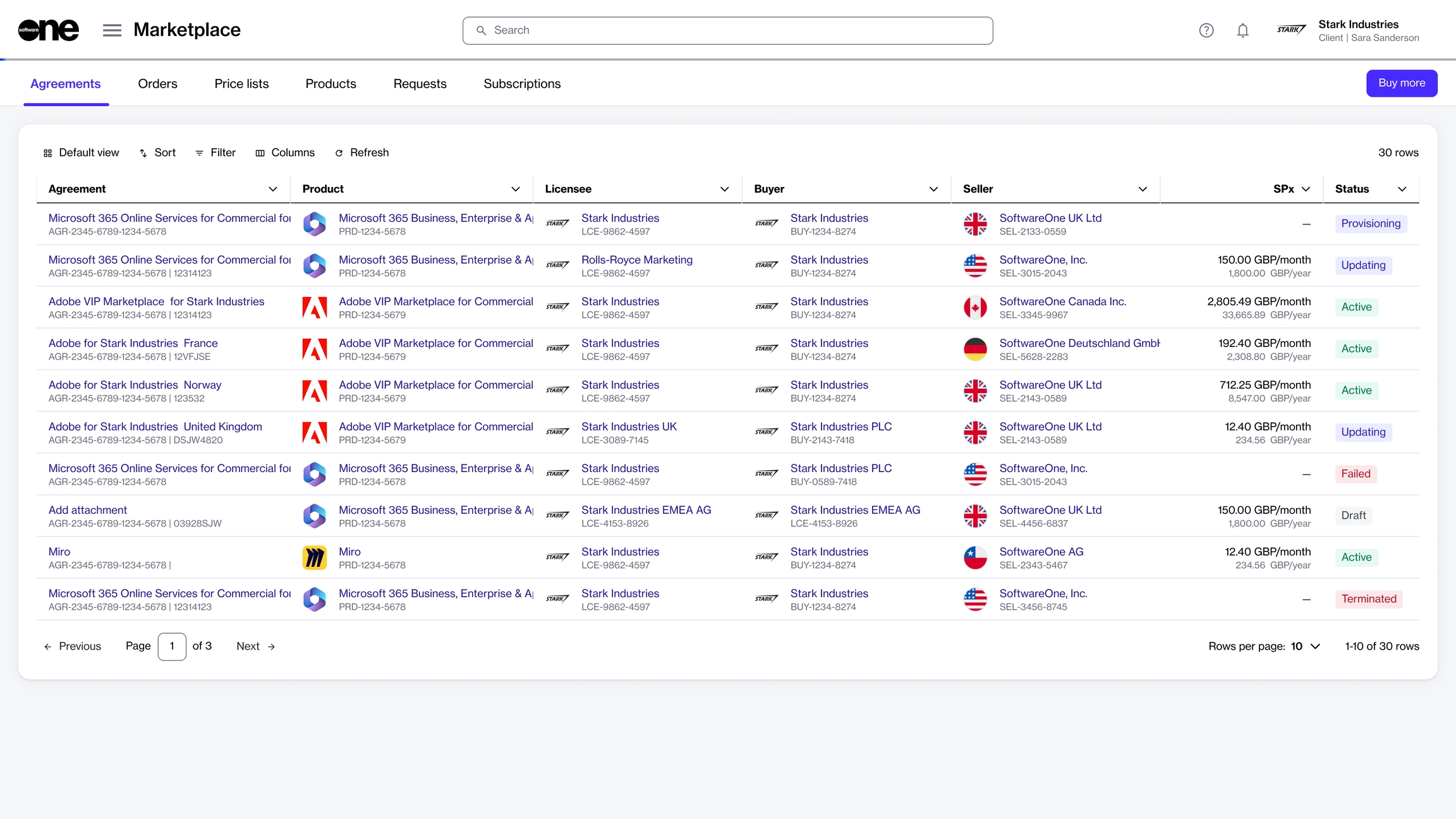
Viewing the list of agreements
To access the list of agreements, go to Marketplace > Agreements.
For each agreement, you can view key details, such as the agreement name, related product, and entities, including licensee, buyer, and seller.
You can also view the status of the agreement, estimated sales price, and more.
Viewing agreement details
On the agreement details page, you can view detailed information for the agreement. Some information is read-only, while others include links that allow you to navigate to further details.
To view agreement details:
Go to Marketplace > Agreements.
Select the agreement you want to view. The agreement details page opens.
Use the tabs on the agreement details page to view different types of information:
General
Displays the most up-to-date information for the agreement.
Subscriptions
Displays all subscriptions that exist within the agreement and the details of those subscriptions.
Assets
Shows your one-time purchases. One-time purchase items are non-subscription items where you own the license indefinitely.
Entitlements
Displays the items you have purchased along with their details, including quantity, pricing, status, and more.
Parameters
Displays the ordering and fulfillment parameters.
Entities
Displays the entities linked to the agreement, including licensees, buyers, and sellers.
Orders
Displays orders placed under the agreement, including purchase orders, change orders, and termination orders. You can select the order to view the order details page.
Split billing
Displayed only if you have enabled split billing. You can view and manage the buyers you have configured for split billing. For details, see Configure buyers for split billing.
Attachments
Displays all files attached to the agreement by the vendor or SoftwareOne.
Terms
Displays the terms associated with the agreement and shows when they were accepted and by whom.
Details
Displays reference details, additional IDs, and timestamps.
Audit trail
Displays a record of events related to the agreement. For details, see Audit Trail
Related topics
Agreement statusTerminate agreementRename agreementAdd or update additional client IDView and download attachmentsLast updated
Was this helpful?