
View sellers
This topic describes how to view a list of sellers in your account, as well as details about a specific seller.
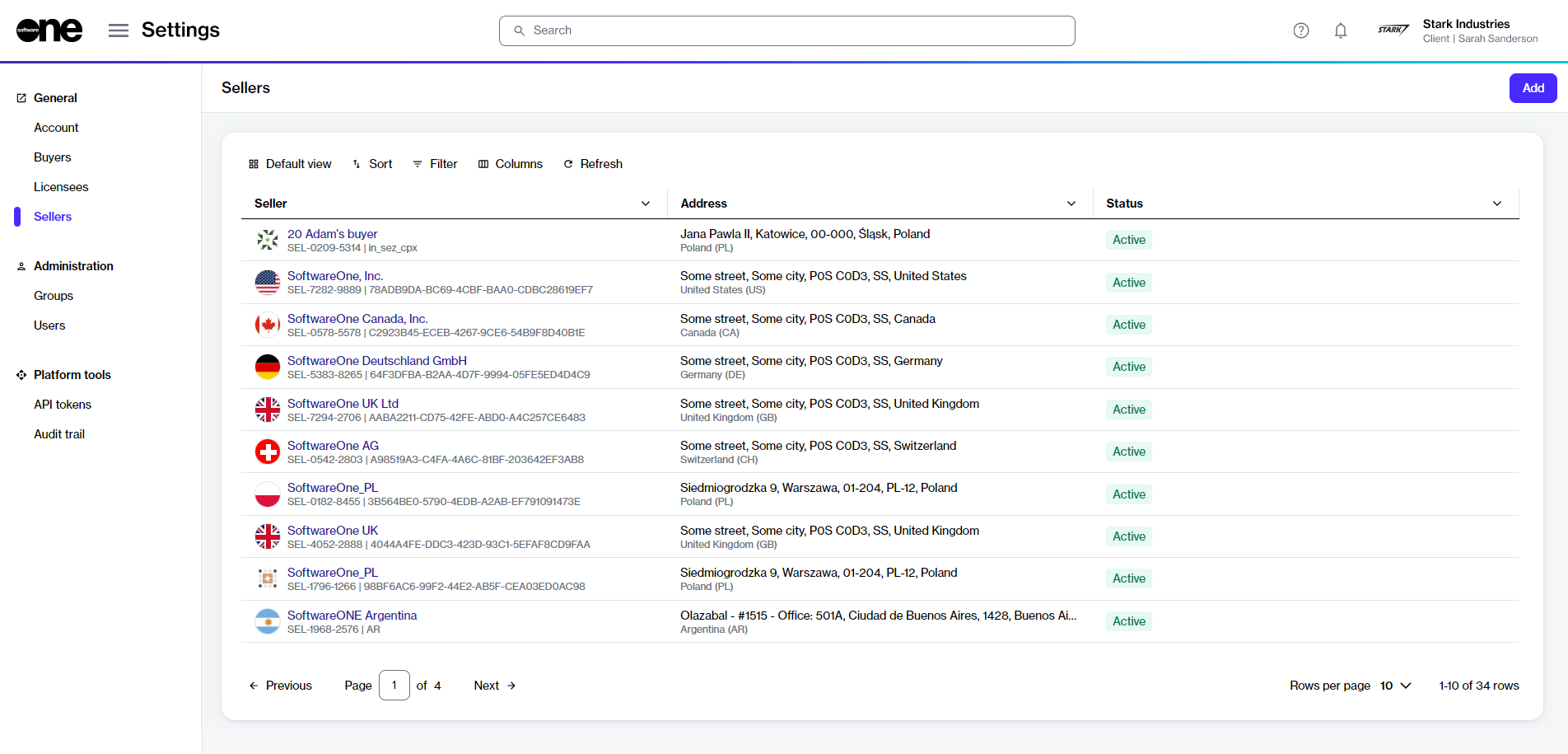
Viewing a list of sellers
To view a list of sellers in your account:
Go to Settings > Sellers.
View the list of all sellers displayed on the page.
Review key details, such as the seller's name and address. You can also check whether the seller is currently available for transactions. If a seller is unavailable or no longer operational, this is reflected in their status.
Viewing seller details
To view a specific seller:
Go to Settings > Sellers. A list of sellers is displayed.
Select the seller that you want to view. The seller details page opens.
Use the tabs on the seller details page to view different types of information:
General
Displays the seller's address information.
Buyers
Displays all buyers linked to the SoftwareOne seller in the account, along with the buyer's name and address. The ERP link status is also displayed on this tab. An ERP link is a reference to the customer record in the SoftwareOne ERP system. A Blocked ERP link indicates that you cannot transact with the specified seller. In such cases, contact support for assistance.
Currencies
Displays the currencies supported by the seller.
Details
Displays the log details for associated events and external IDs. You can also track when the last update occurred and when the system will perform its next synchronization with the ERP system.
Audit trail
Displays an audit trail for the seller. For more information, see Audit trail.
Last updated
Was this helpful?