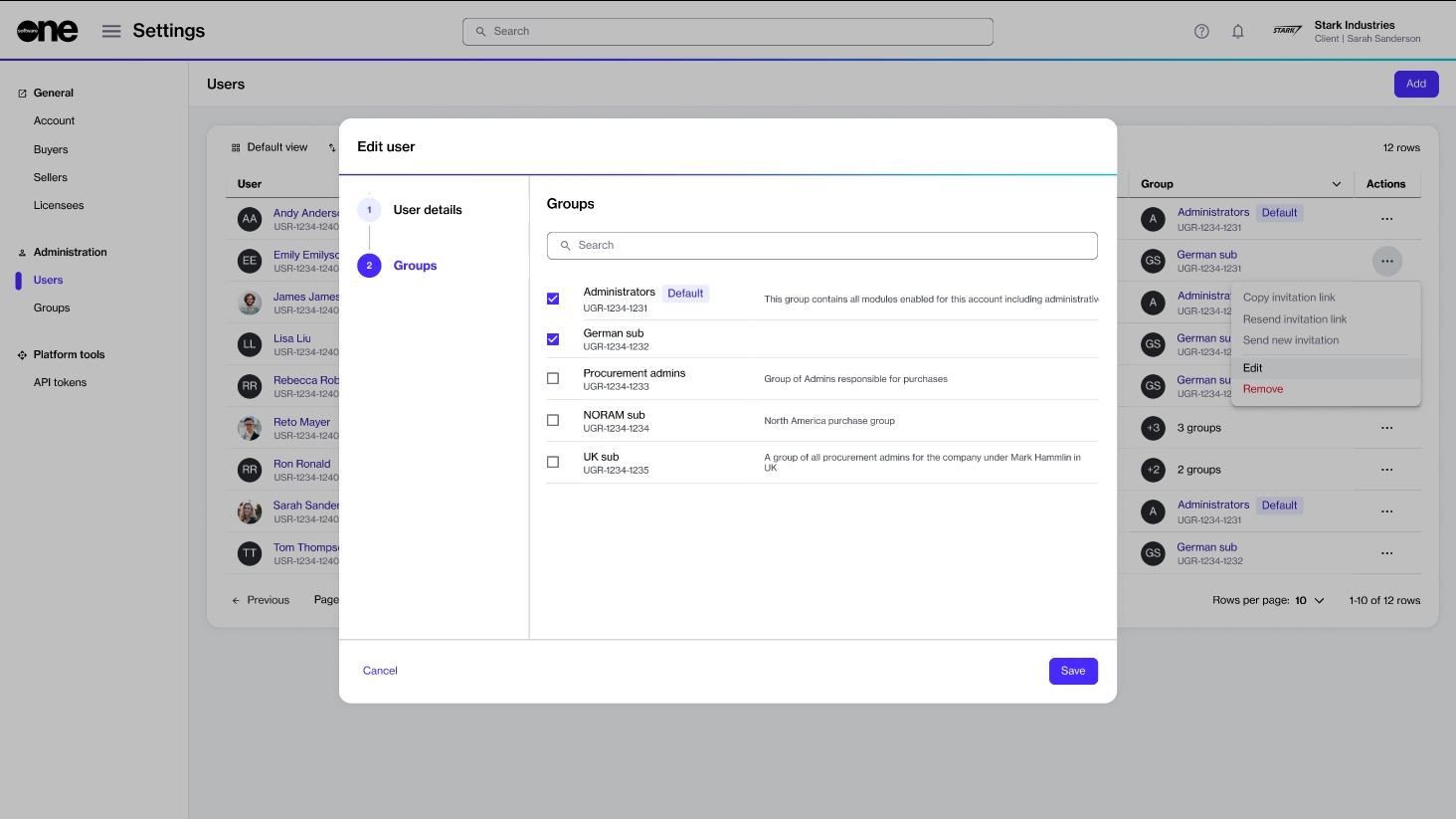
The Edit option on the Users page allows you to edit a user's group membership.It means you can modify the groups that the user belongs to.
Personal details (such as name, email address, or contact details) can't be updated. If such details require updating, the user must update them through the My Profile option in their profile menu. To learn more, see Manage your profile.
Editing a user's group membership
To update a user's group membership:
Go to Settings > Users.
Find the user you want to edit. You can use filters to find a user based on their ID, name, email address, and other conditions.
Select the actions icon (•••), then choose Edit.
In the Edit user wizard, select the Groups page to make the following changes as necessary:
To add the user to a group, select the checkbox for that group.
To remove the user from a group, clear the checkbox.
The Edit user wizard in the platform.
Select Save. A confirmation message is displayed stating that the user has been edited successfully.