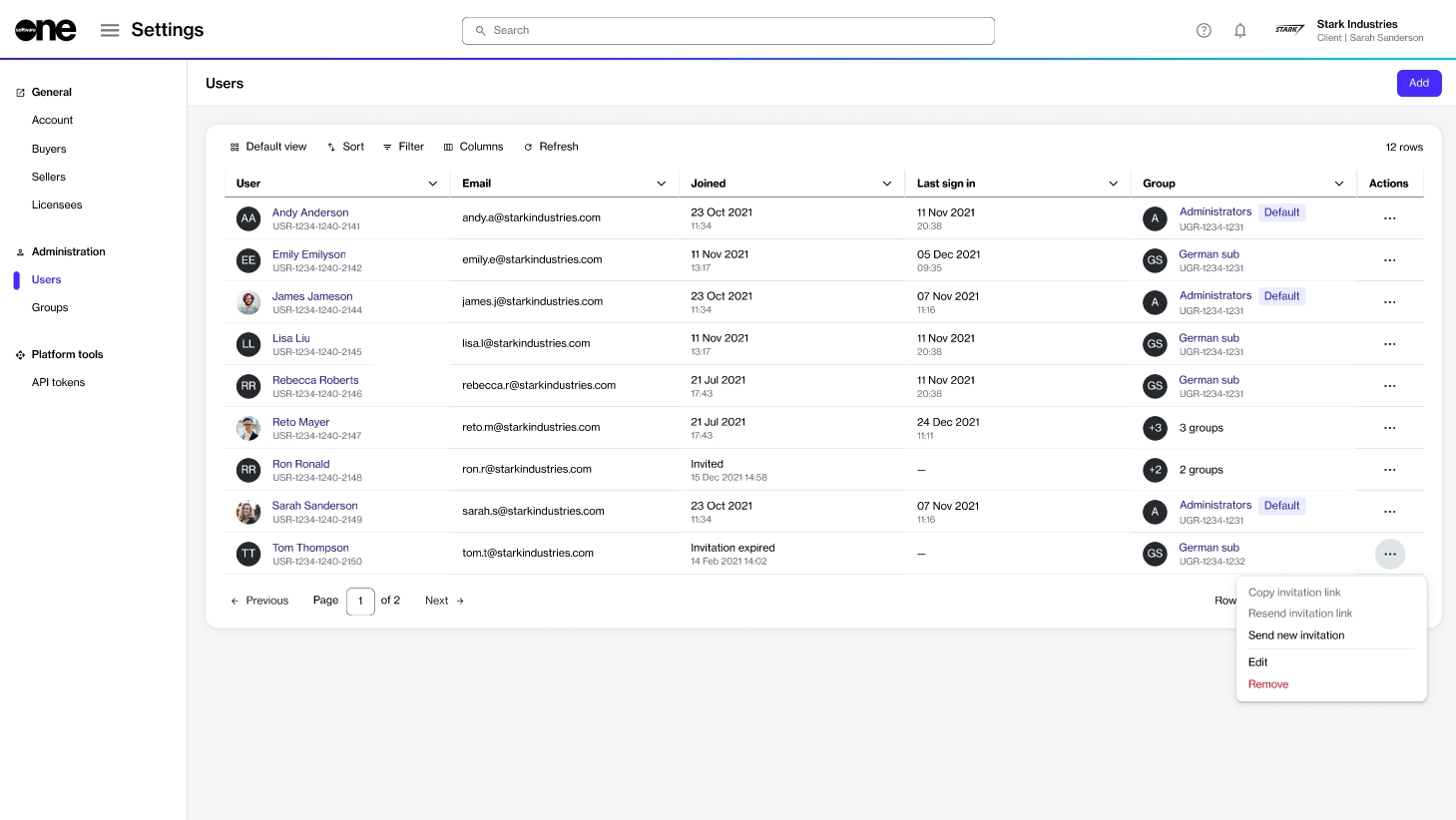
Administrators can manage invitations from the Users page within the platform.
Reinviting a user
If a user you added to the account didn't receive the invitation email or has difficulty accepting it, you can either share the invite link with them directly or resend the invitation.
To reinvite a user to your account:
Go to Settings > Users. A list of users is displayed.
Find the user you want to reinvite.
Select the actions icon (•••) for the user and do the following:
Copy invitation link - Select this option to copy the invitation link and share it directly with the individual.
Resend invitation link -Select this option to resend the invitation to their email address.
Sending a new invitation email
Invitations that are not accepted within 7 days from the send date will expire.
If a user's original invitation link is no longer active, you can send them a new invitation email with a new link to join the account.
To send a new invitation email:
Go to Settings > Users. A list of users is displayed.
Select the actions icon (•••) for the user, then choose Send new invitation.A new invitation email is sent to the user, and a confirmation message is displayed.
The option to send a new account invitation.
Advise the user to locate and accept the invitation email from SoftwareOne Marketplace.